


- What Is Auslogics Anti-Malware, and How Does It Work?
- Does Auslogics Anti-Malware Support My Windows Version?
- How Much Does Auslogics Anti-Malware Cost?
- What Are the Main Features of Auslogics Anti-Malware?
- What Sets Auslogics Anti-Malware Apart from Other Products?
- User Reviews and Opinions
- Auslogics Anti-Malware: Effectively Remove Slippery Malicious Programs
- FAQ
Did you know? The AV-TEST Institute registers more than 450,000 new malware samples and PUAs (potentially unwanted applications) on a daily basis. And cybercriminals now leverage AI to create ever more sophisticated and diversified threats.
With the advent of deepfake technology, the increasing number of malware variants, and the proliferation of unique malicious websites, programs, files, and PUAs, one can never be too careful.
Even the best security programs might not ensure 100% protection against all threats. Some threats could still go undetected.
Therefore, in addition to following safety measures to prevent malware from infiltrating your computer, you can augment your primary anti-malware software with a complementary tool like Auslogics Anti-Malware for an extra layer of protection.
This review article will tell you all you need to know about Anti-Malware, Auslogics’ trusty malware remover . And you’ll learn how to remove malware from your computer using the tool.
🛡️ Auslogics Anti-Malware is a lightweight, low-cost, and user-friendly Windows security program designed to work alongside the native Windows Security or your main third-party antivirus for added protection.
⚡ Anti-Malware is known for its fast and effective scans and customizable malware detection algorithms.
🔄 The malware database is frequently updated to catch new and emerging threats.
🕵️ Auslogics Anti-Malware also uses heuristic analysis to detect anomalous behavior and catch zero-day threats.
💻 The tool is available for use on both 32-bit and 64-bit versions of Windows 11, 10, 8.1, 8, and 7.
🆓 The free trial version of the tool performs a thorough scan of your PC and allows a one-time cleanup. To continue protecting your PC against threats, you’ll need to register for the full version.
📑 The license for the full version of the app covers three PCs. It comes with a 30-day money-back guarantee, and you can get a full refund within the stipulated time period if you are not satisfied with the product.
💸 The first-time purchase is available at discounts of 30% or more.
What Is Auslogics Anti-Malware, and How Does It Work?
![IMG]() What is Auslogics Anti-Malware?
What is Auslogics Anti-Malware?

Auslogics Anti-Malware is a lightweight, complementary security program for Windows PCs. It is designed to work alongside your main antivirus for added protection without causing any conflict.
The tool provides protection against potentially unwanted apps and a wide range of malware, including viruses, trojans, ransomware, spyware, and adware.
Auslogics Anti-Malware is not meant to replace your main security program but instead to back it up, thus ensuring that there are minimal chances of elusive malware slipping by undetected.
The tool doesn’t interfere with other third-party anti-malware tools, nor with the native Windows Security. It also makes minimal use of system resources and, therefore, has no negative impact on PC performance while running background scans.
Auslogics is a reputable brand that specializes in computer security, optimization, and maintenance software for Microsoft Windows.
Auslogics products have served Windows users for over 17 years.
![IMG]() How does Auslogics Anti-Malware work?
How does Auslogics Anti-Malware work?
Here’s how the app secures your Windows computer against hidden threats. It does the following:
- Checks the system memory and monitors running processes for anomalous behaviors.
- Checks auto-startup apps to identify potential threats.
- Checks the Windows Task Scheduler and inspects apps that are scheduled to start to ensure system safety.
- Analyzes the Windows registry for suspicious entries.
- Inspects and removes website cookies.
- Scans all files and folders on your PC for signs of malware.
To stay ahead of emerging and evolving threats, Auslogics Anti-Malware runs frequent automatic updates of its malware database. It also utilizes heuristic analysis to catch zero-day threats.
![IMG]() Auslogics Anti-Malware pros and cons
Auslogics Anti-Malware pros and cons
- The app is lightweight and has minimal impact on system resources
- The app is easy to use
- Performs fast and effective scans and malware cleanup
- Acts as a second line of defense to catch elusive malware that your main antivirus program might miss
- Customizable malware detection engine
- Frequent database updates ensure that the latest threats are identified and caught
- Provides detailed reports on detected threats
- Routine scheduled scans detect and neutralize new threats as they emerge
- Runs scheduled scans in the background with minimal impact on system performance
- Quarantines suspicious items so that, in case of false-positives, the user can restore the quarantined items. You can also exclude specific files and folders from being scanned
- Users can choose between quick, deep, or custom scans
- Provides multi-language support
- Customer support is readily available via email and the Auslogics Ask a Question platform
- The free version offers a one-time malware cleanup. Subsequent cleanups require purchasing the full version of the app. However, it will still identify and notify you of threats
- The free version does not allow scan scheduling
- Auslogics Anti-Malware is not a standalone solution. It is meant to serve as a complementary security program and should not replace your main anti-malware software
- The tool does not offer real-time protection. But you can schedule full system scans to keep your PC protected
- Does not support Mac and Linux computers. And also does not support mobile devices
![IMG]() Auslogics Anti-Malware free version vs. full version specs
Auslogics Anti-Malware free version vs. full version specs
| Specs | Free version | Full version |
|---|---|---|
| Frequent malware database updates | ✅ | ✅ |
| One-time malware cleanup | ✅ | ✅ |
| Unlimited scans and malware cleanups | ❌ | ✅ |
| Initiate quick, deep, or custom scans | ✅ | ✅ |
| Schedule scans | ❌ | ✅ |
| Quarantine potential threats | ✅ | ✅ |
| Extended priority support | ❌ | ✅ |
Does Auslogics Anti-Malware Support My Windows Version?
Auslogics Anti-Malware is fully compatible with the 32-bit and 64-bit versions of Windows 11, 10, 8, 8.1, and 7. Anti-Malware is not available for Mac and Linux computers
How Much Does Auslogics Anti-Malware Cost?
The price varies by region. The 3-PC license for users costs $33.96 per year in the U.S. and £30.55 per year in the UK when you factor in the 30% discount offered to first-time subscribers.
Purchasing Anti-Malware from the official Auslogics website ensures secure checkout and provides a 30-day money-back guarantee.
| Anti-malware software | Full version price (may vary by region) |
|---|---|
| Auslogics Anti-Malware |
|
| Bitdefender Total Security |
|
| Norton 360 Standard |
|
| McAfee Advanced |
|
What Are the Main Features of Auslogics Anti-Malware?
Now, let’s see how to remove malware from your PC using Auslogics Anti-Malware. We will take a tour of the main features as they appear in the app, starting with the download and installation.
![IMG]() Easy installation and setup
Easy installation and setup

Downloading and installing Auslogics Anti-Malware is simple and straightforward. Here’s how to remove viruses and other malware from your computer using the program:
- Visit the official website of Auslogics and go to the Anti-Malware product page.
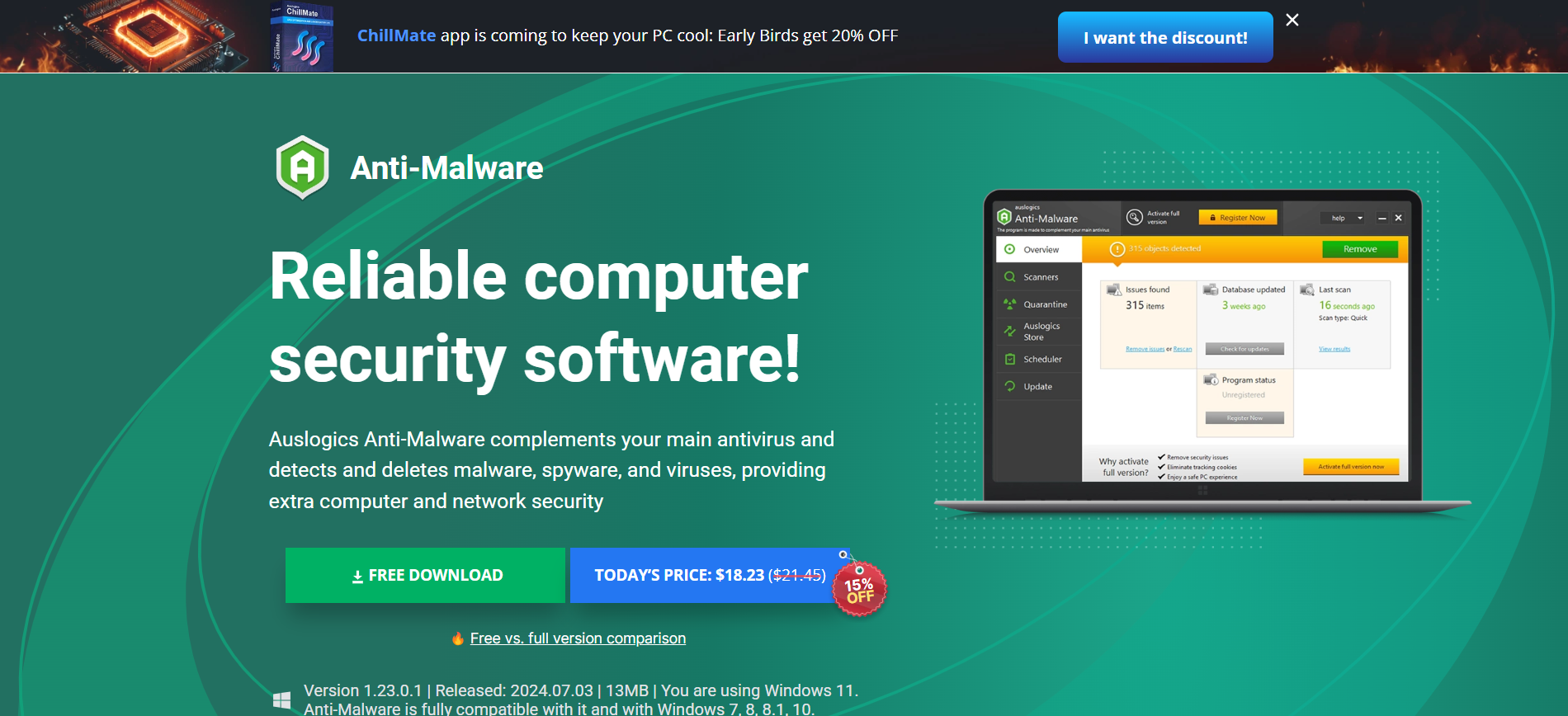
- Click on the green Free Download button to get the trial version of the app for a one-time free virus scan and malware removal. Or click on the blue Today’s Price button to get the full version of the app at a discounted price.
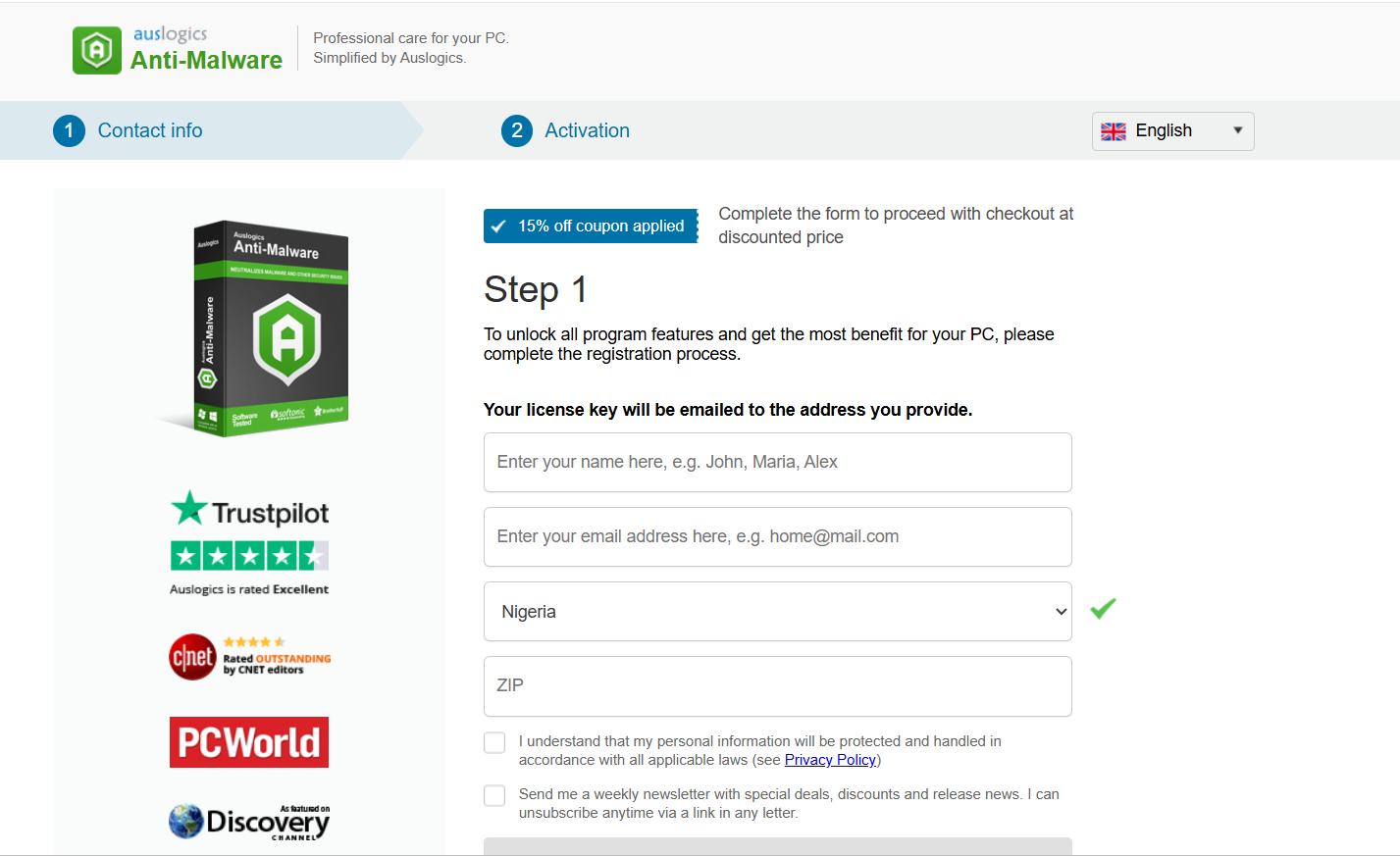
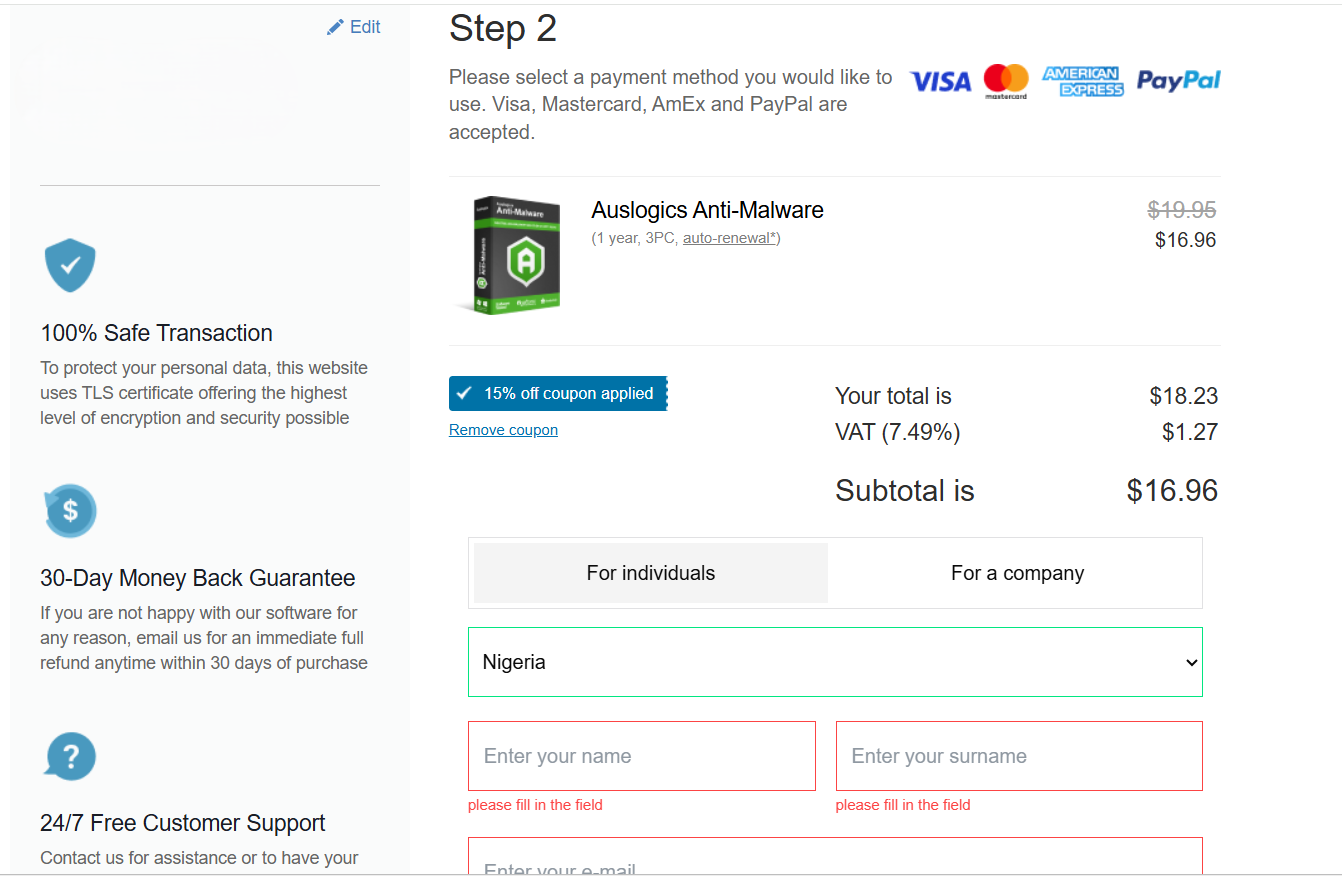
- If you go for the free download, the installation file (13 MB in size) will start downloading automatically. And if you go for the full version download, provide your contact information to proceed with secure checkout. After payment, your license key will be emailed to your email address. The purchase is backed by a 30-day money-back guarantee.
- After the installation file downloads, double-click on it to run the installer.
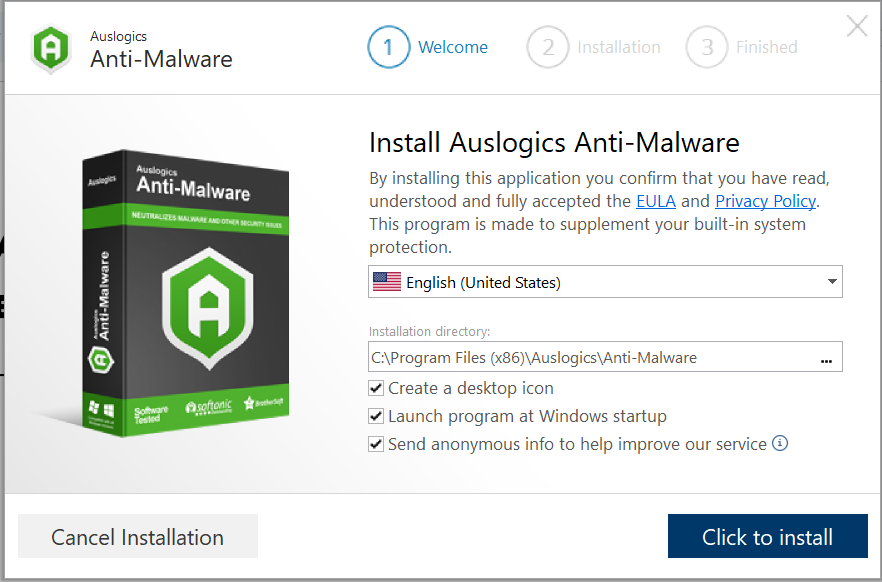
- Choose your language and hit Click to install.
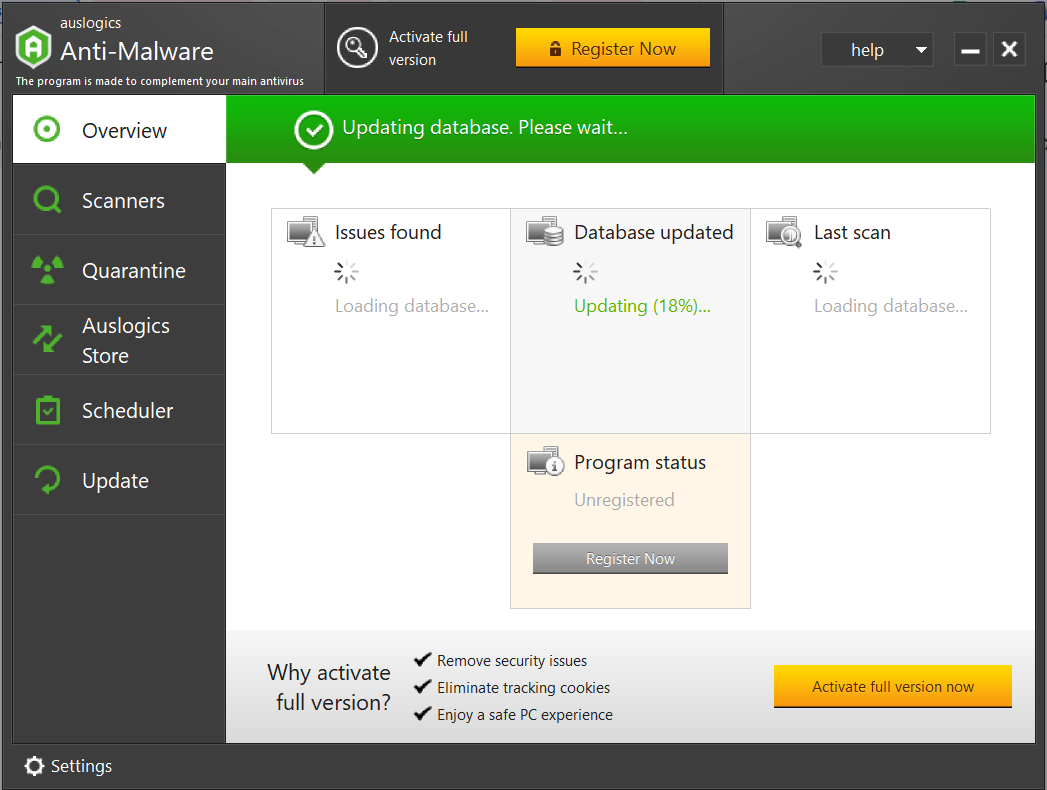
- The application size is 50.2 MB. It will launch automatically after the installation is complete.
- Once the app launches, it will quickly update the malware database to ensure that the latest threats are caught.
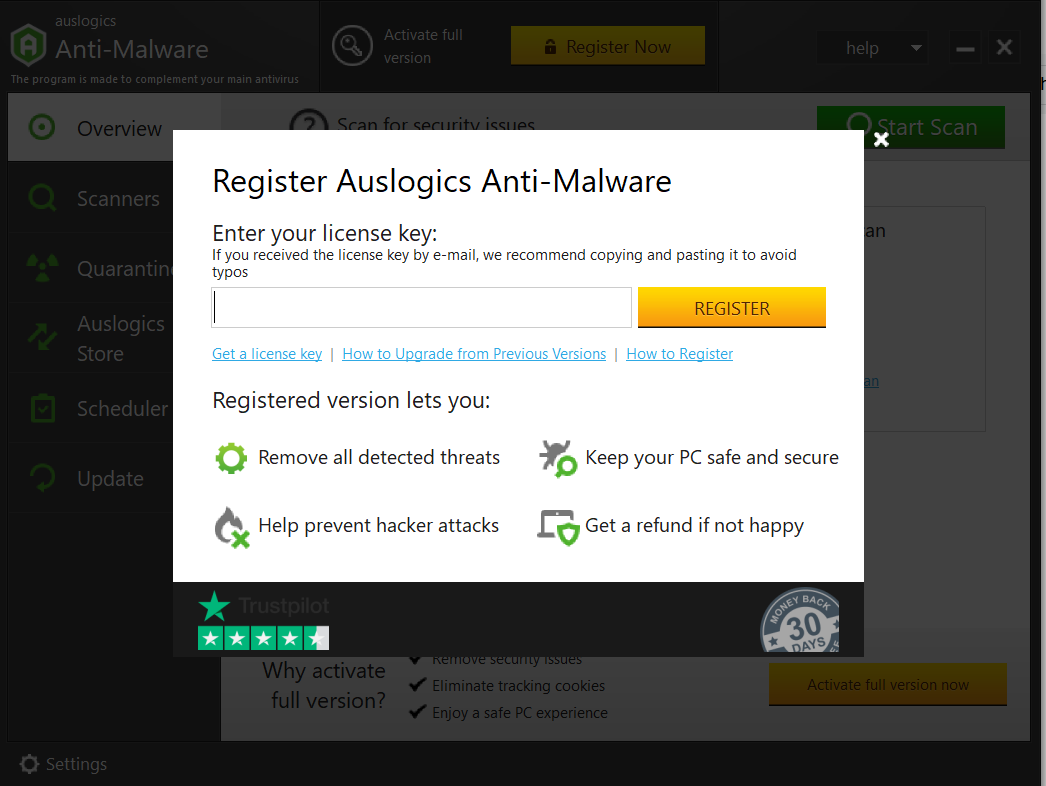
- If you purchased the full version, click the Register Now button and enter your license key to activate the product.
![IMG]() Clean and intuitive user interface
Clean and intuitive user interface

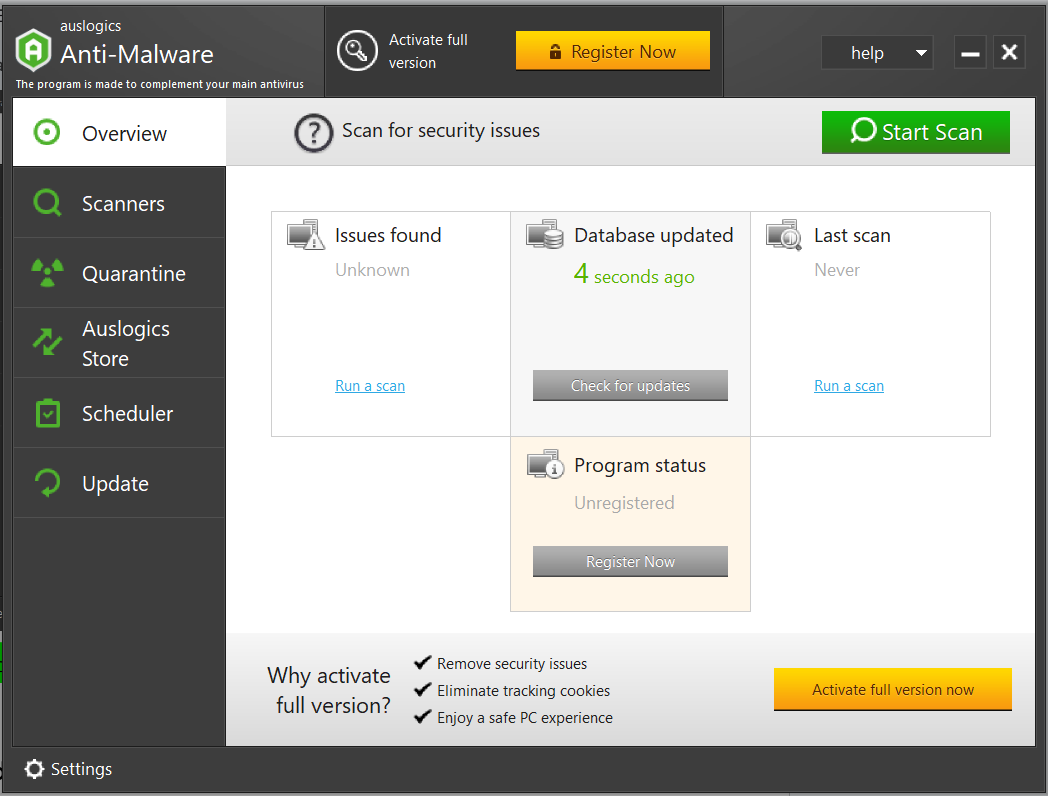
The first thing you will notice about the app is its neat, descriptive, and easy-to-navigate user interface.
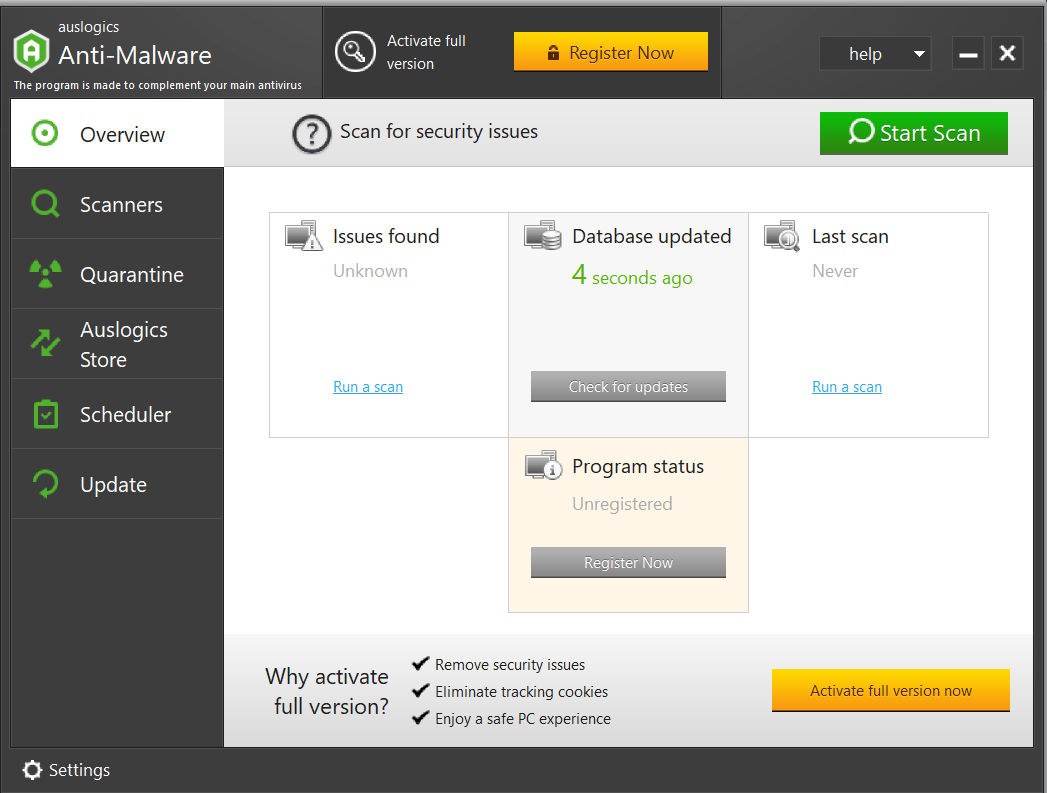
There are six tabs on the left pane for navigating the core features of the app, starting with the Overview tab, where you can start your first scan and cleanup.
There’s a Settings menu at the bottom, where you can configure how the app behaves and how malware scans will be conducted.
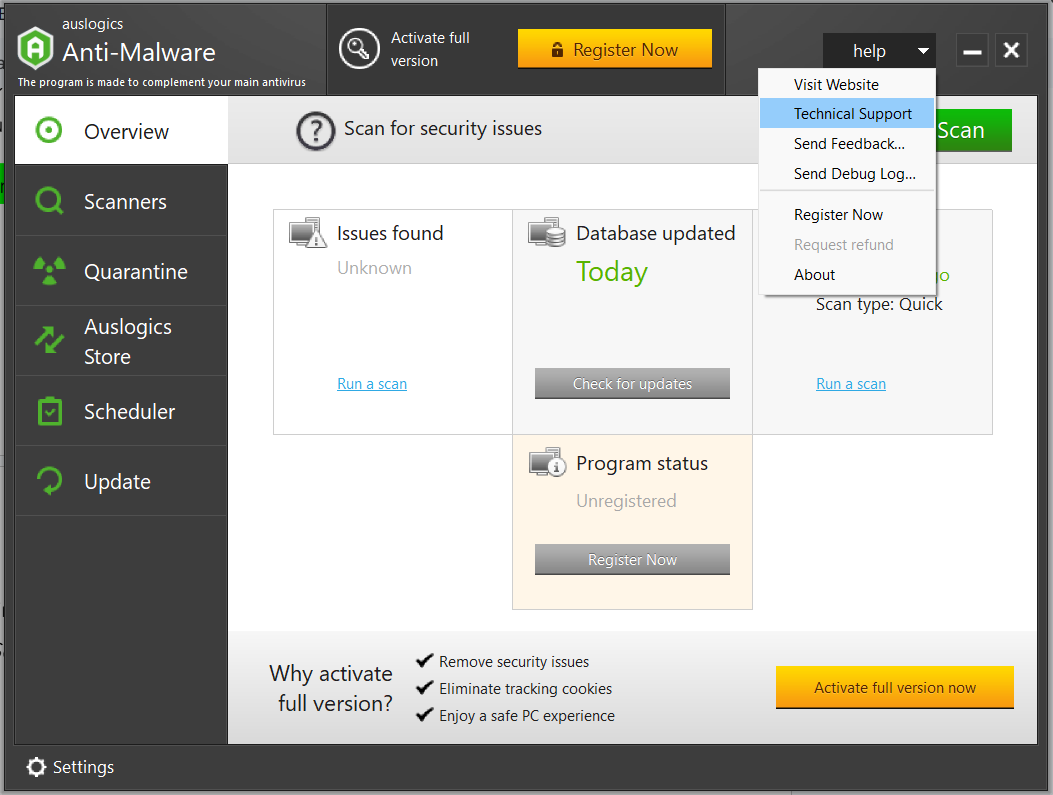
And there’s a help menu at the top-right corner from where you can access technical support should you need it.
![IMG]() Fast and effective scans
Fast and effective scans
Clicking the big green Start Scan button on the Overview tab takes you to the Scanners tab, where you can choose between three scan types:
- Quick scan: Scans the most common areas on your PC where malware may be found, excluding the file system (stored files and folders).
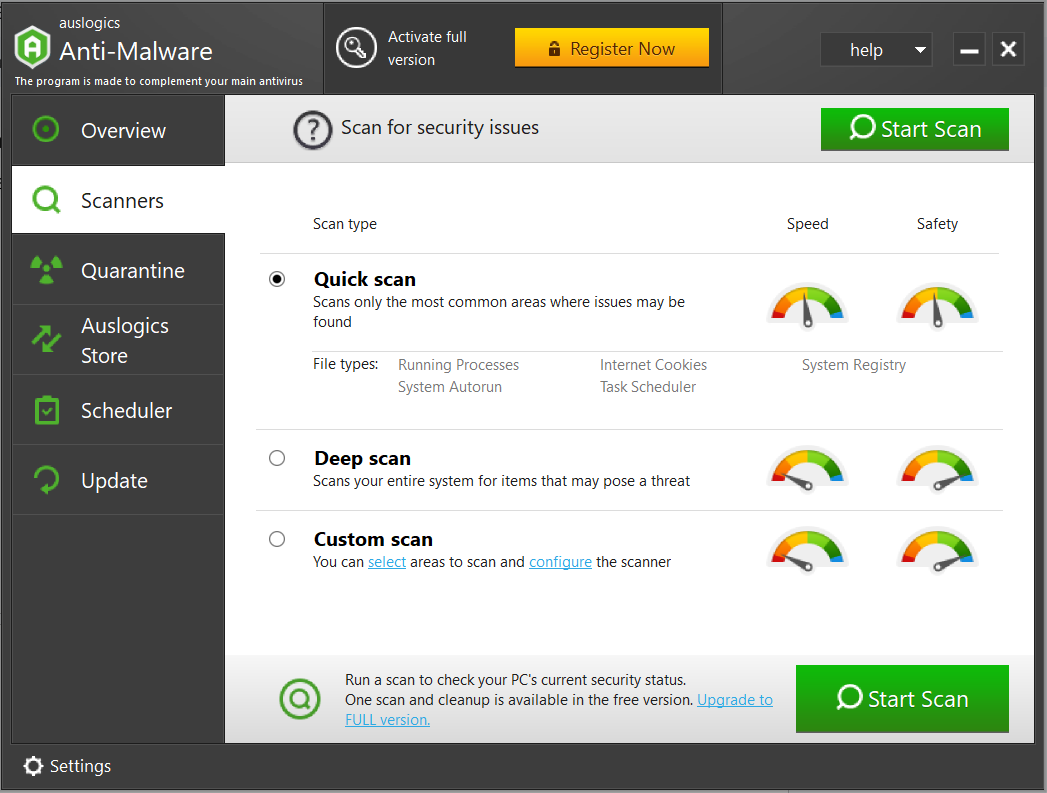
- Deep scan: Scans the entire system for threats. We suggest selecting this option for your first scan.
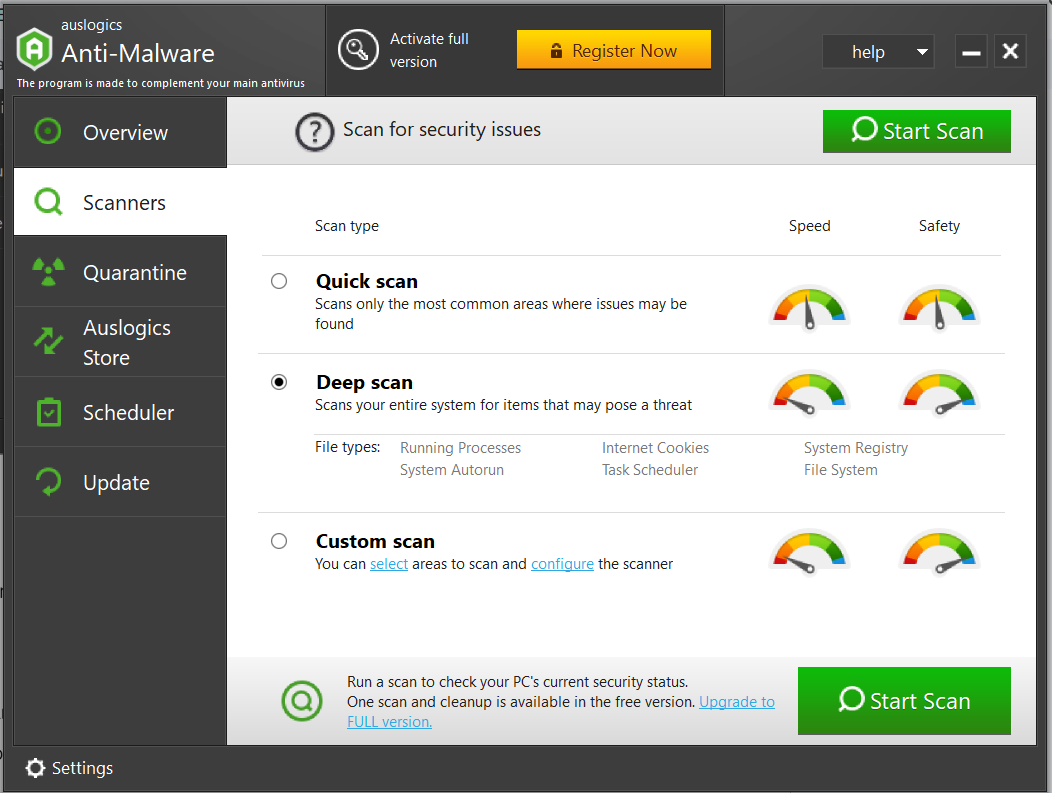
- Custom scan: Lets you choose the files and folders to scan. And you can also configure the scanner to your liking. More on that later.
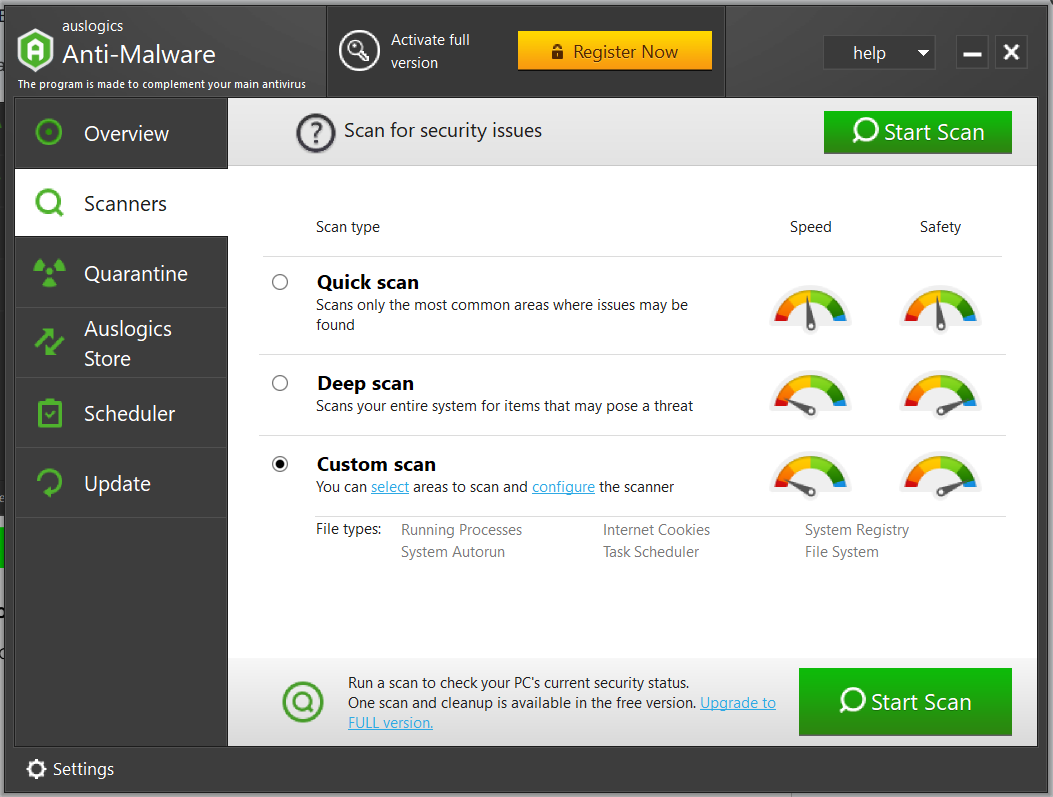
Once you start the scan, Anti-Malware’s advanced engine effectively detects issues wherever they may be hiding in your PC. Scanned items include:
- Running processes
- Internet cookies
- The system registry
- Autorun apps
- Scheduled tasks
- Files and folders
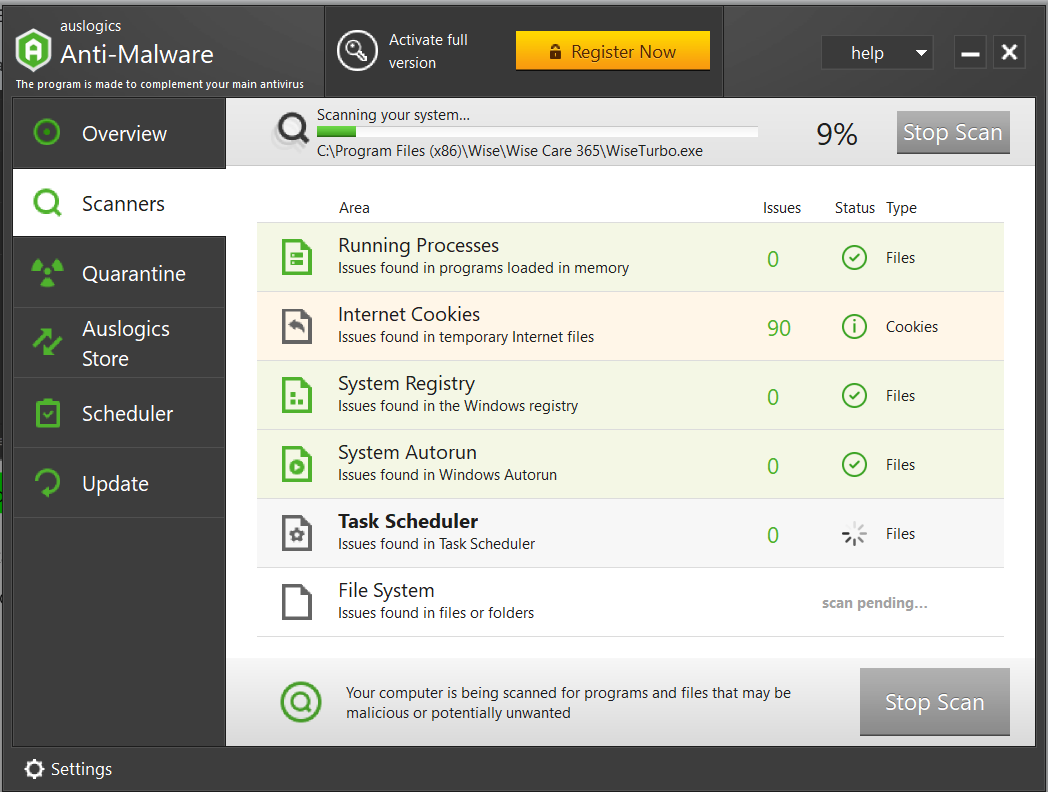
Once the scan completes, it will present you with a comprehensive list of all detected issues. And you can view the details of each selected item before removing it. You can also deselect or choose to ignore any item on the list if you wish.
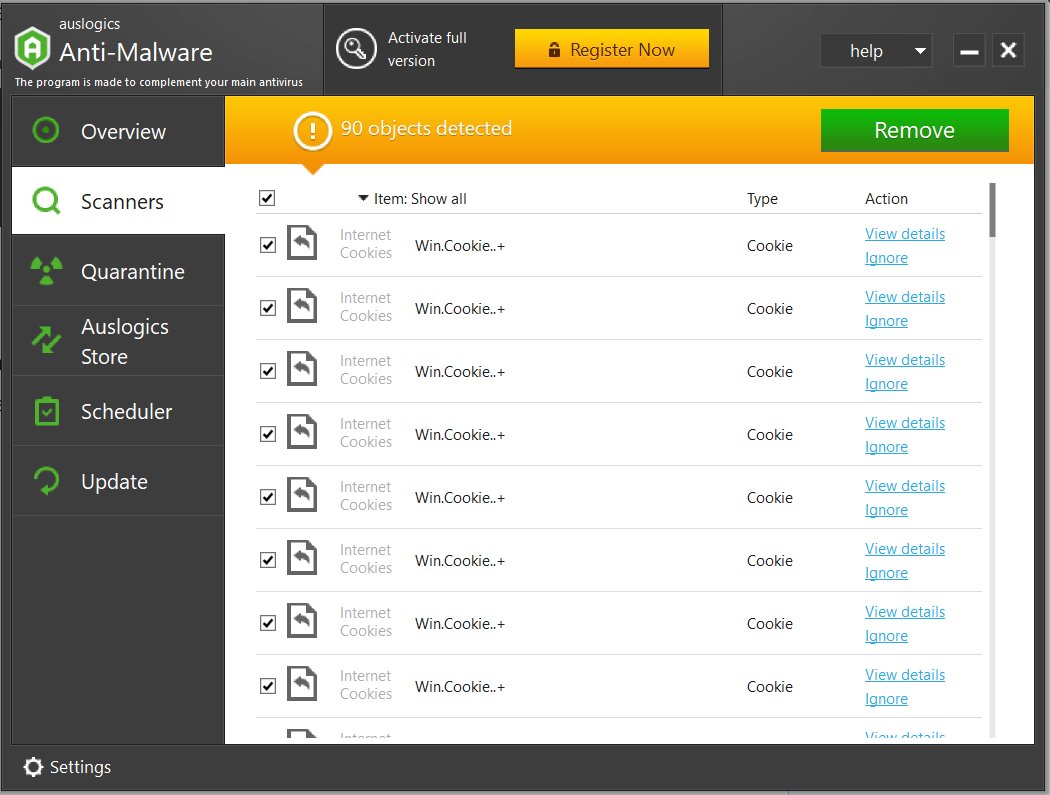
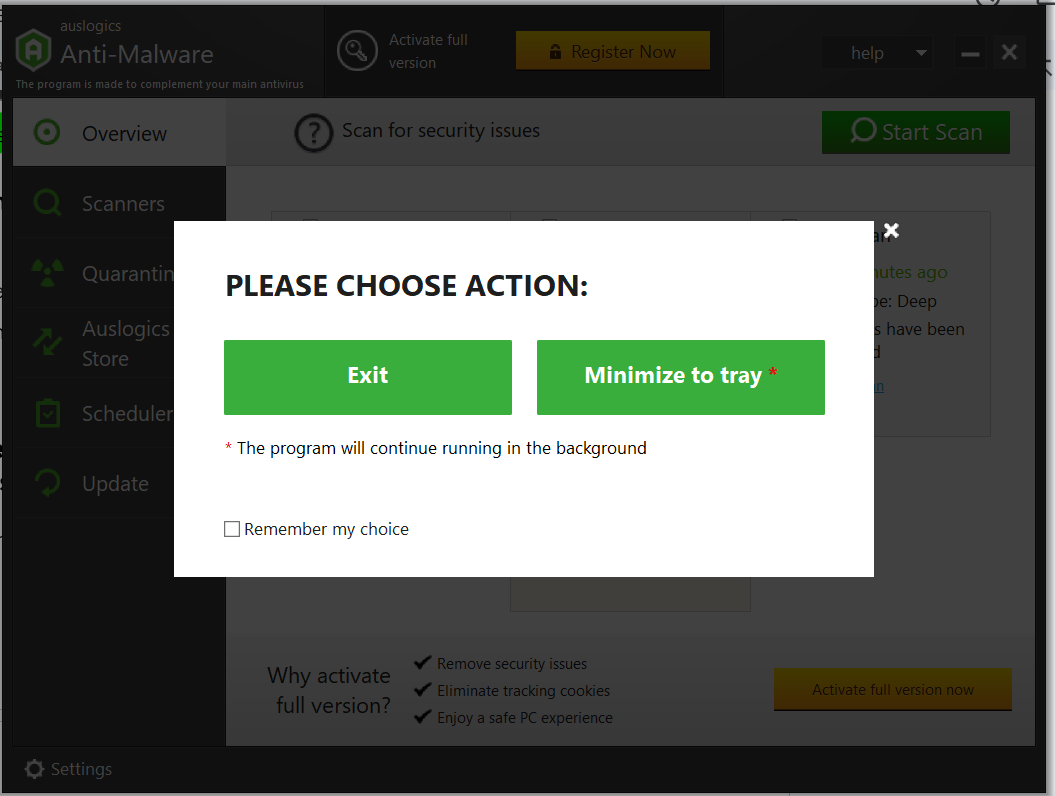
After running your first scan, if you decide to close the app, choose the Minimize to tray option to allow the app to continue working in the background for continued protection with scheduled scans.
![IMG]() Quarantine suspicious files
Quarantine suspicious files

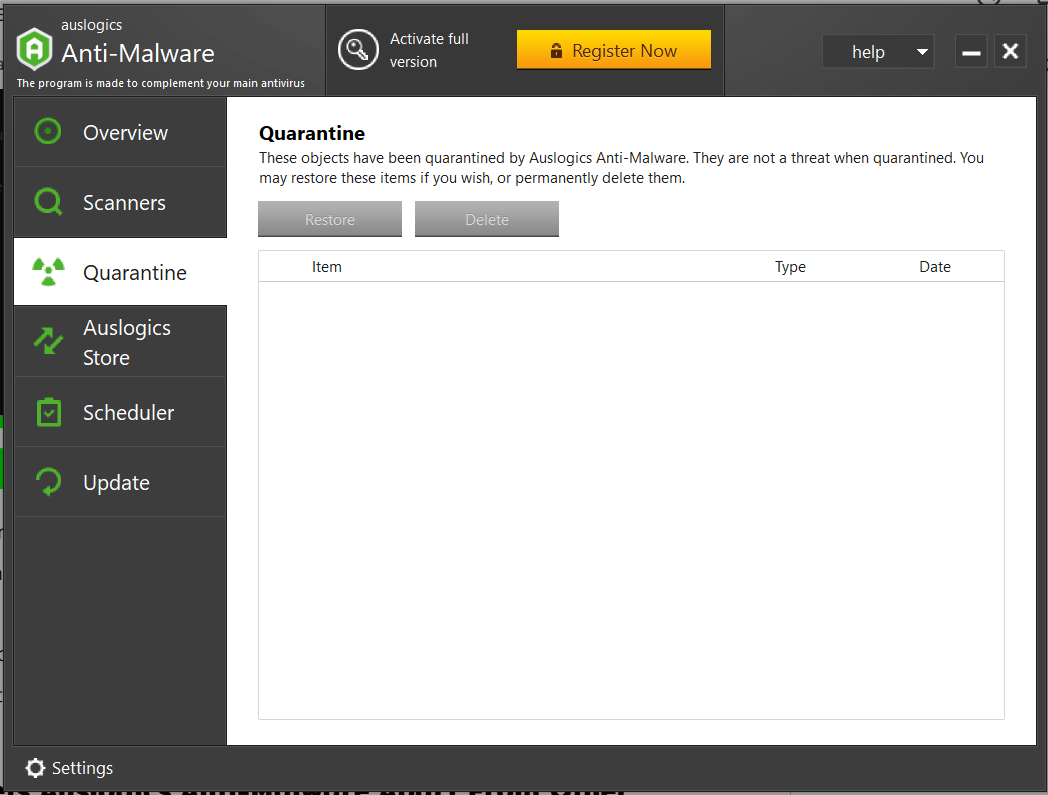
Anti-Malware may quarantine items it deems suspicious rather than deleting them outright. You can then take action on the quarantined items. Simply go to the Quarantine tab to view any and all listed items. And you can delete them or restore those you are certain are not malicious.
![IMG]() Schedule automatic scans
Schedule automatic scans

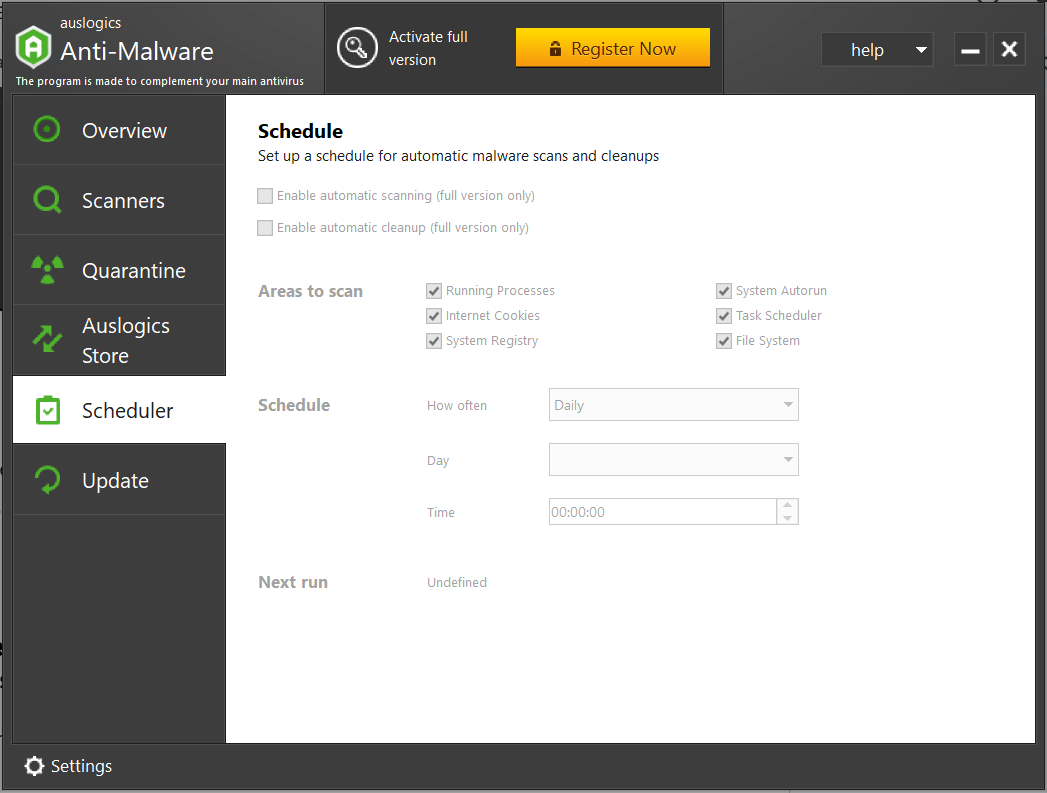
Use the scheduler to set up automatic scans and malware cleanups that will run in the background at the times you specify. And it will have minimal impact on system resources when the app starts running the scheduled scans.
![IMG]() Malware database updates
Malware database updates

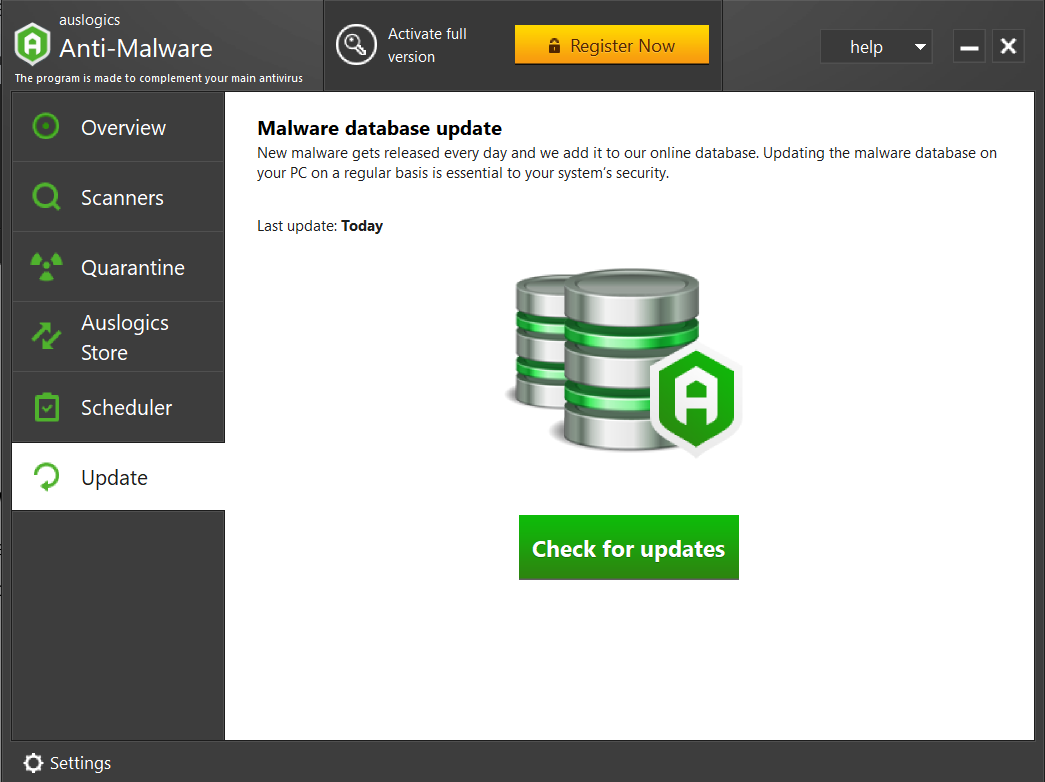
Anti-Malware automatically checks for new malware signatures added to the online database and updates them. However, you can also check for updates manually anytime you want to scan your computer.
![IMG]() Anti-Malware customizations
Anti-Malware customizations

One of the attractive features of Auslogics Anti-Malware is that it permits user customizations via the app settings:
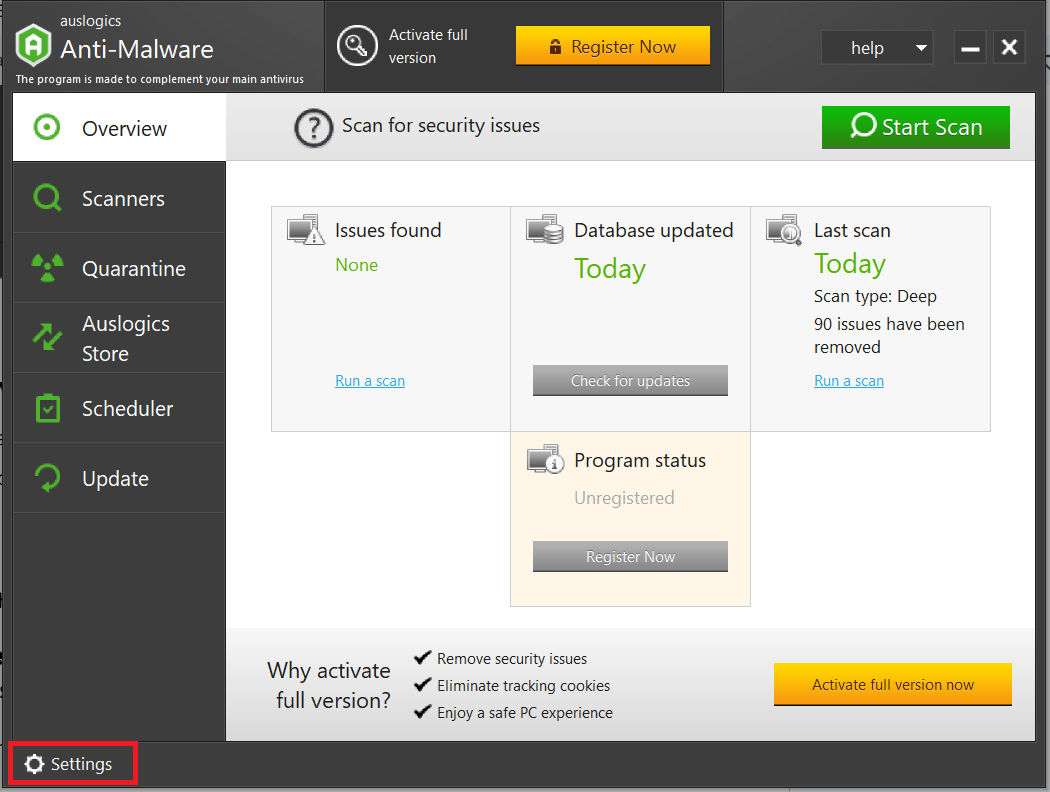
![IMG]() General settings
General settings

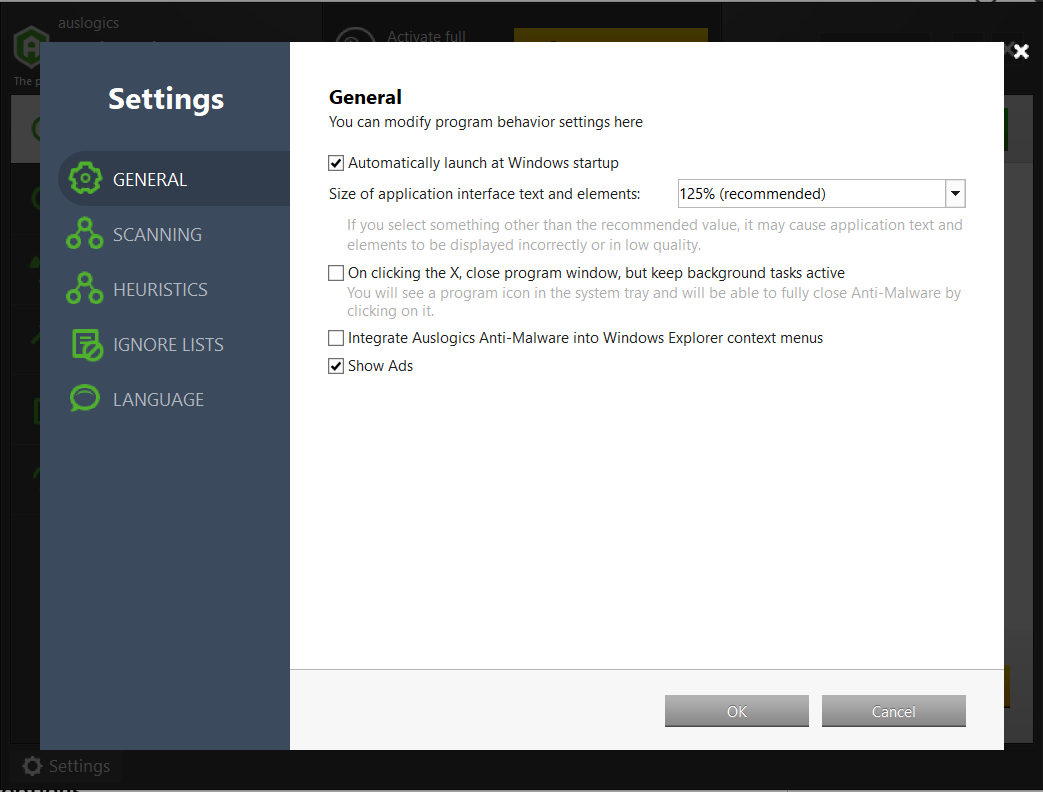
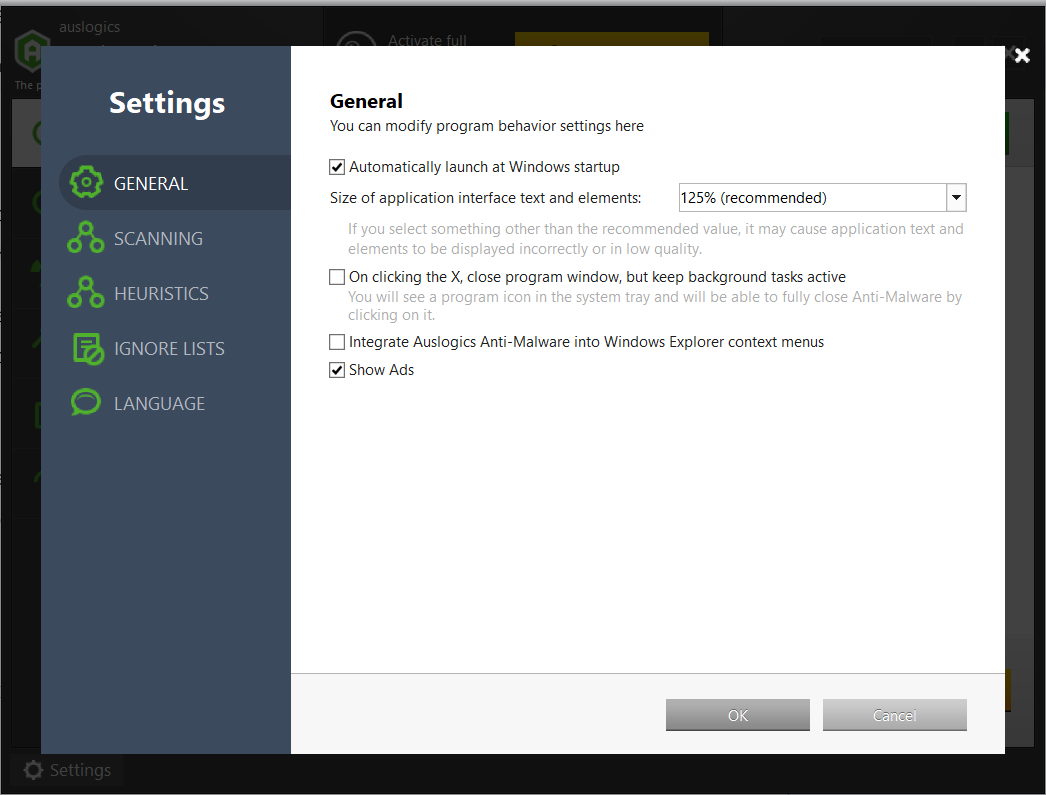
Here, you can modify the program behavior to your convenience, as you can see in the above image.
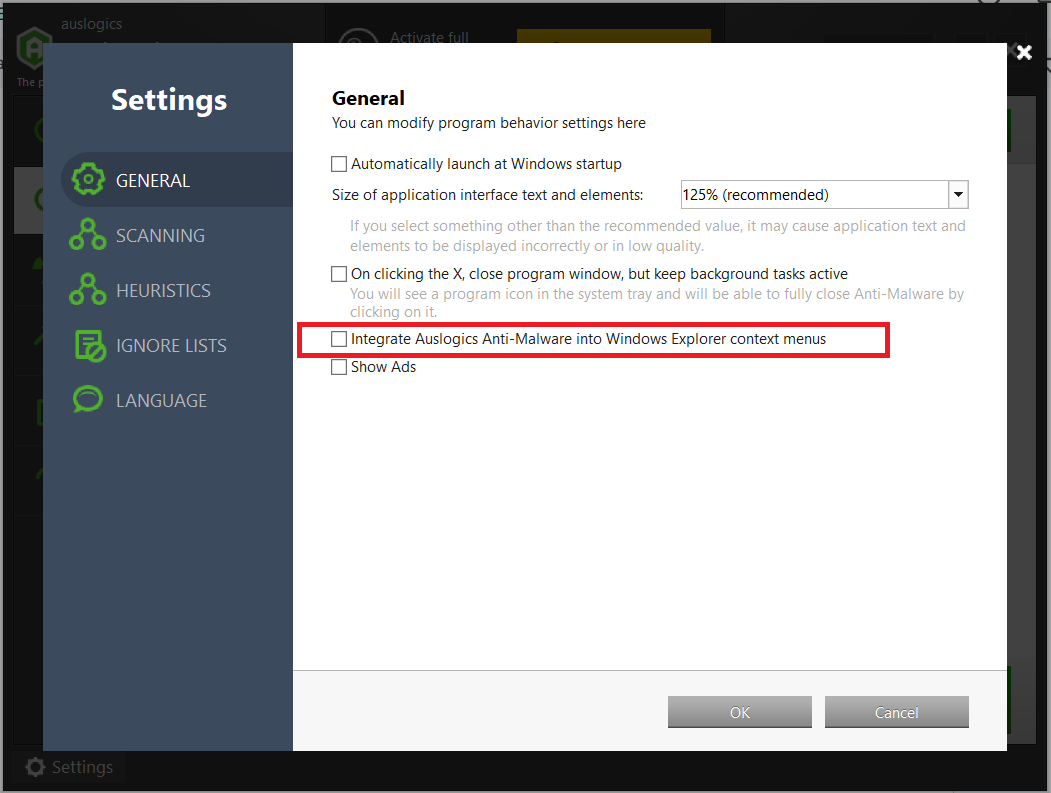
You can also integrate the tool into File Explorer, enabling you to scan files and folders on the go.
![IMG]() Custom scan options
Custom scan options

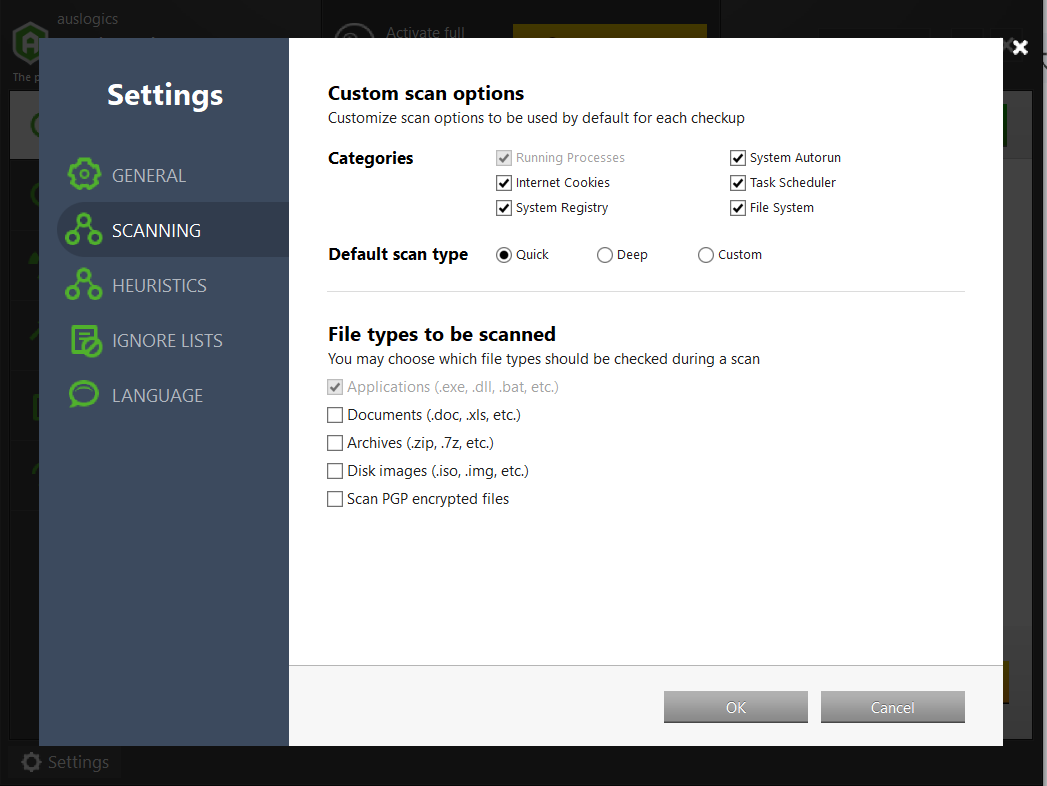
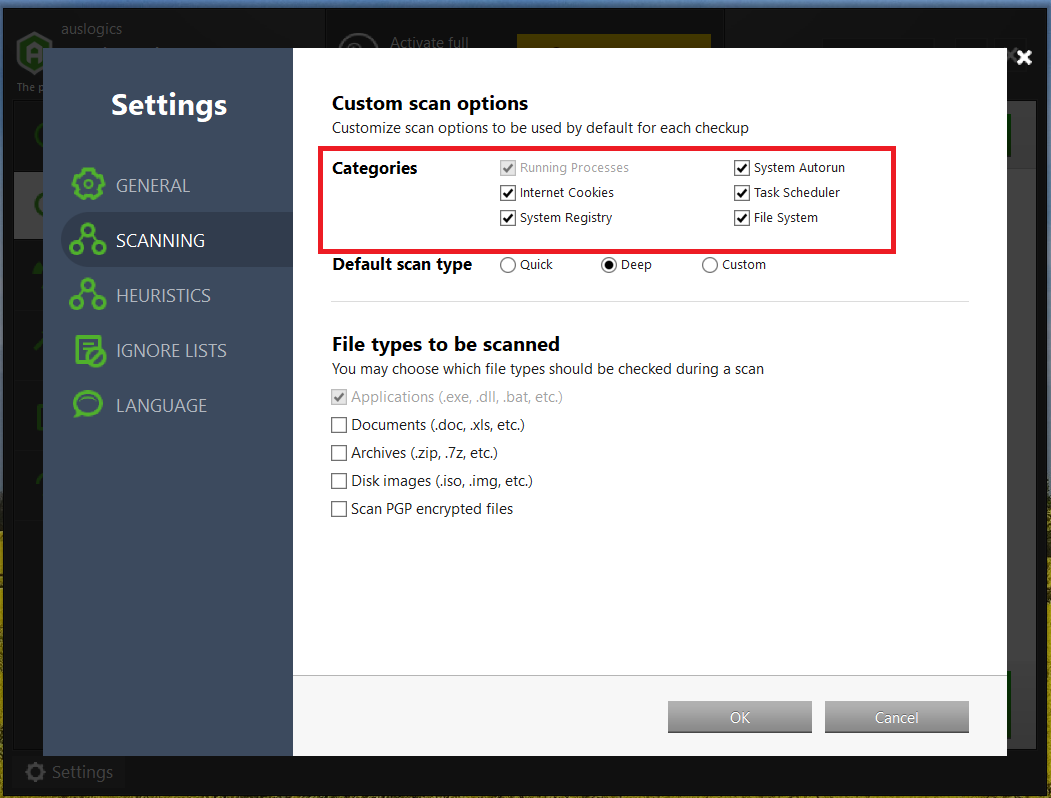
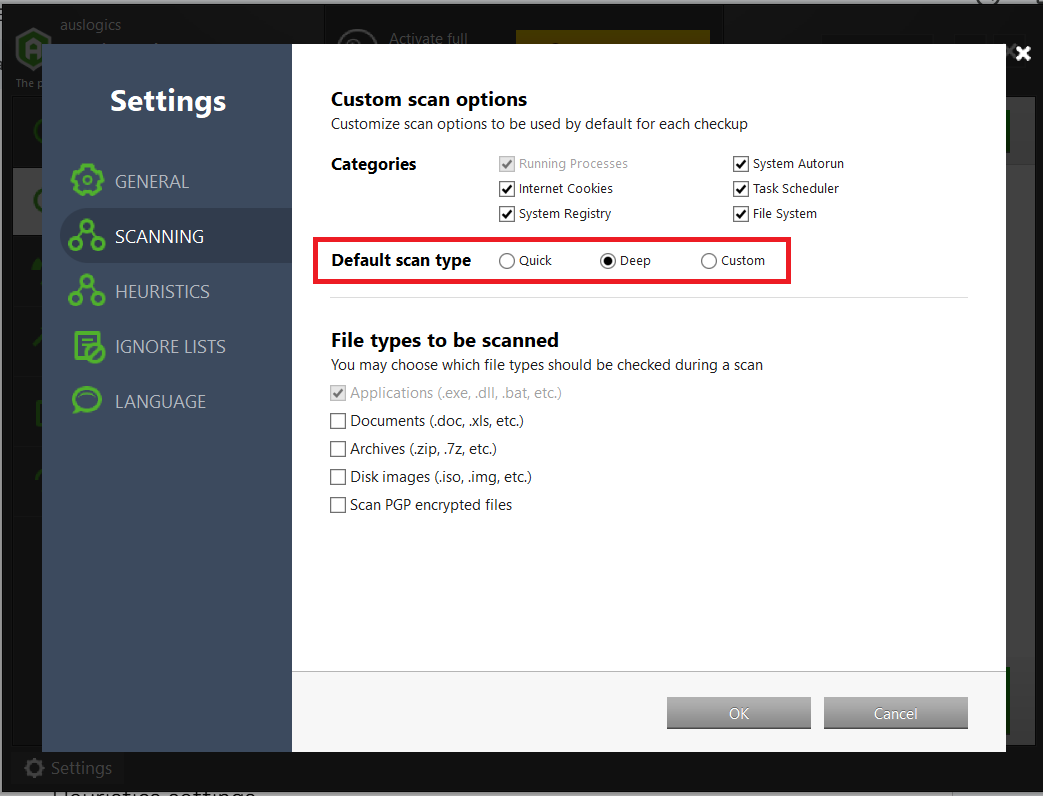
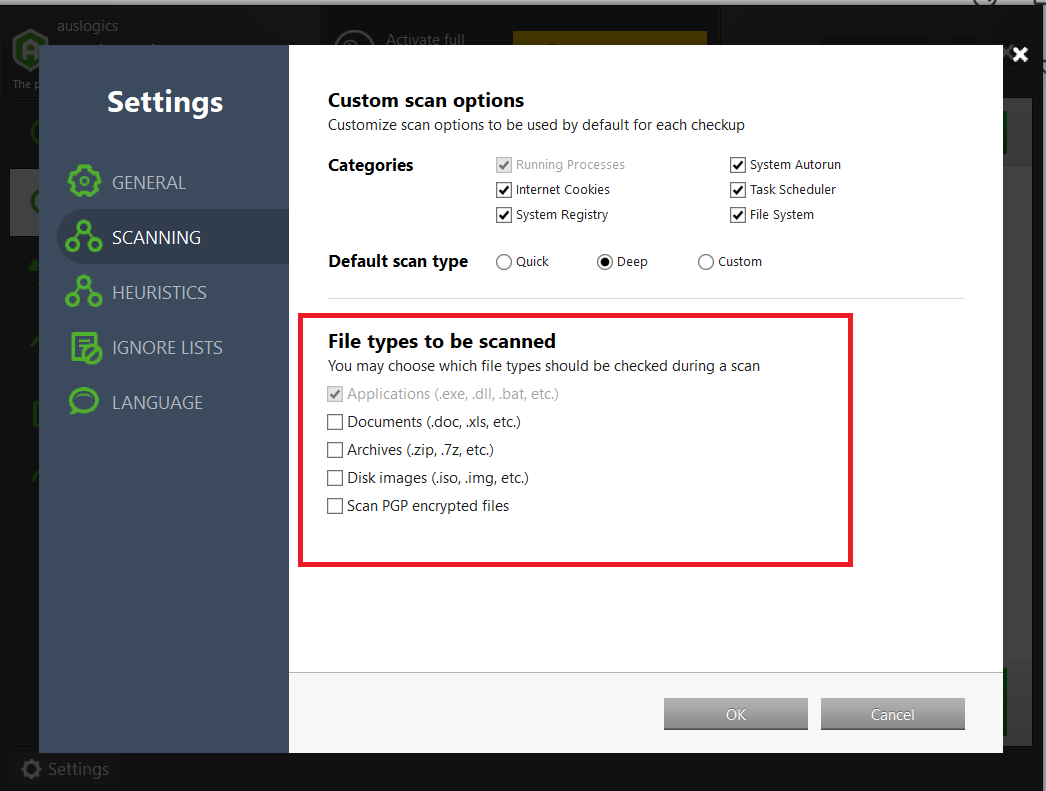
Here, you can set the default parameters that will be observed every time Anti-Malware starts a scan. This includes:
- What will be scanned: scanning categories include running processes, internet cookies, system registry, system autorun, Task Scheduler, and file system.
- The scan type ( Quick, Deep, or Custom).
- File types to be scanned: include or exempt certain file types from being scanned. It is a good idea to select all file types, including application files, documents, archives, disk images, and PGP-encrypted files.
![IMG]() Heuristics settings
Heuristics settings

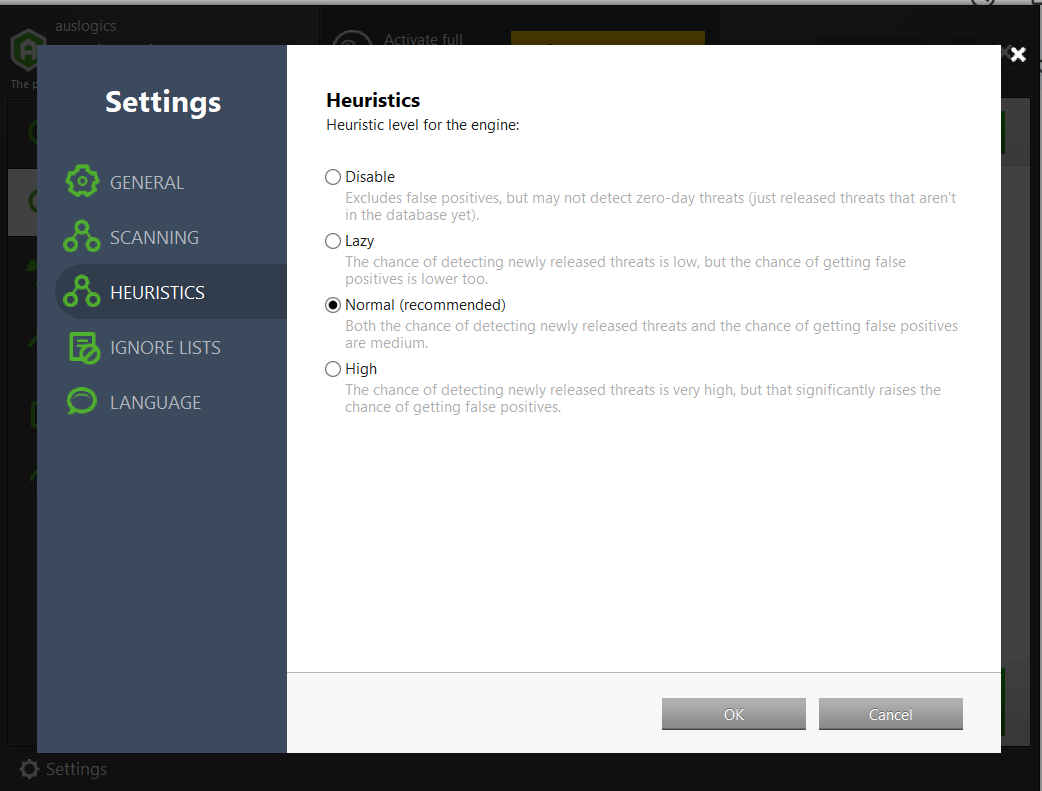
Apart from referencing its malware database for registered malware signatures, Anti-Malware also uses heuristic analysis to examine the behavior and characteristics of scanned items. This enables it to detect new and emerging threats that are not yet registered.
You can choose the heuristic level that will be employed for each scanning session:
- High: Choosing the highest setting raises the app’s capability to detect zero-day threats but also significantly raises the chances of getting false positives, i.e., some items may be flagged as malicious that are actually not.
- Normal: The normal setting is recommended, whereby the chances of getting false positives are medium, and the ability to detect new threats is also optimized.
- Lazy: There’s a very low chance of getting false positives. But this setting also reduces the app’s ability to detect zero-day threats.
- Disable: If you select this option, Anti-Malware will only be able to identify threats that are registered in its database. Which means that new threats that are yet to be registered will go undetected and may cause harm to your PC.
Here’s a table to let you decide which option to go for at any given time:
| Heuristic option | Best scenario |
|---|---|
| High | Use on PCs heavily infected with malware or showing many suspicious items |
| Normal | Use on regularly maintained PCs that receive routine malware scans and have real-time protection |
| Lazy | Use for low-priority or quick scans, or when your PC contains items you know are safe but that trigger Anti-Malware flags |
| Disable | Use when you want the scan to detect only known malware signatures that are registered in the Anti-Malware database |
![IMG]() Ignore lists
Ignore lists

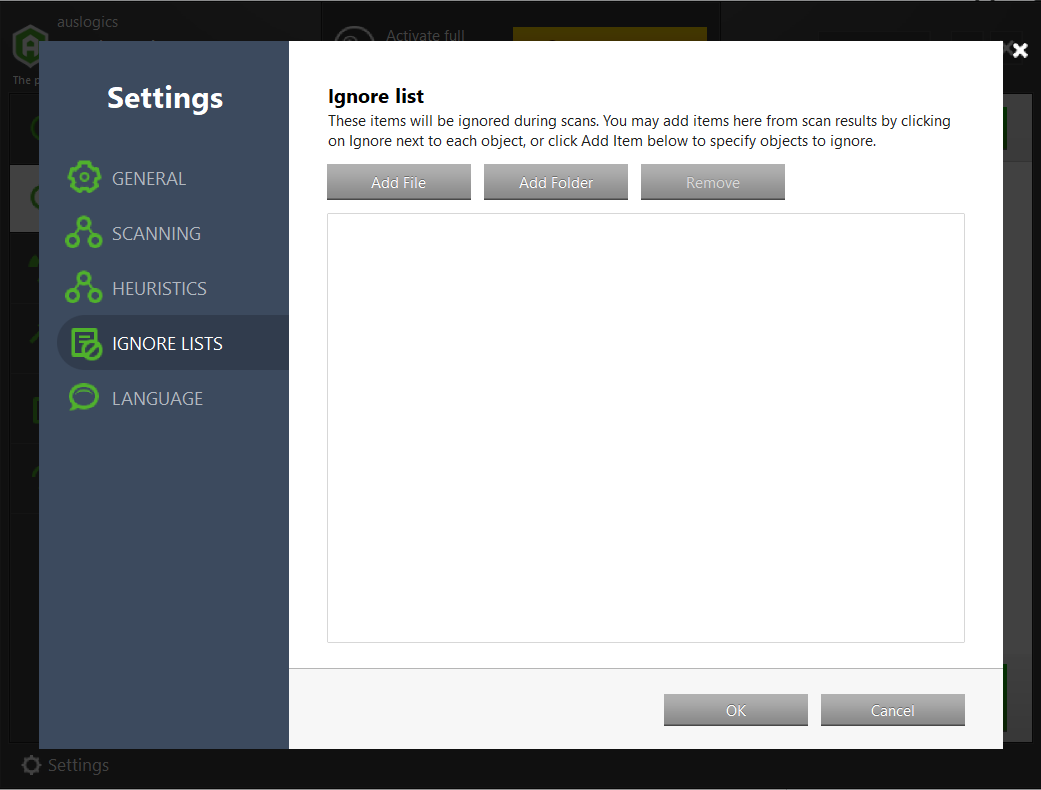
You can add files and folders to the ignore list to keep them from being scanned. This will enable you to safeguard items that you are sure aren’t malicious but which may still be flagged by the app as potentially unsafe.
Exercise caution when using this feature. Ensure that the items you add to the ignore list are actually safe and won’t compromise the safety of your system.
![IMG]() Language options
Language options

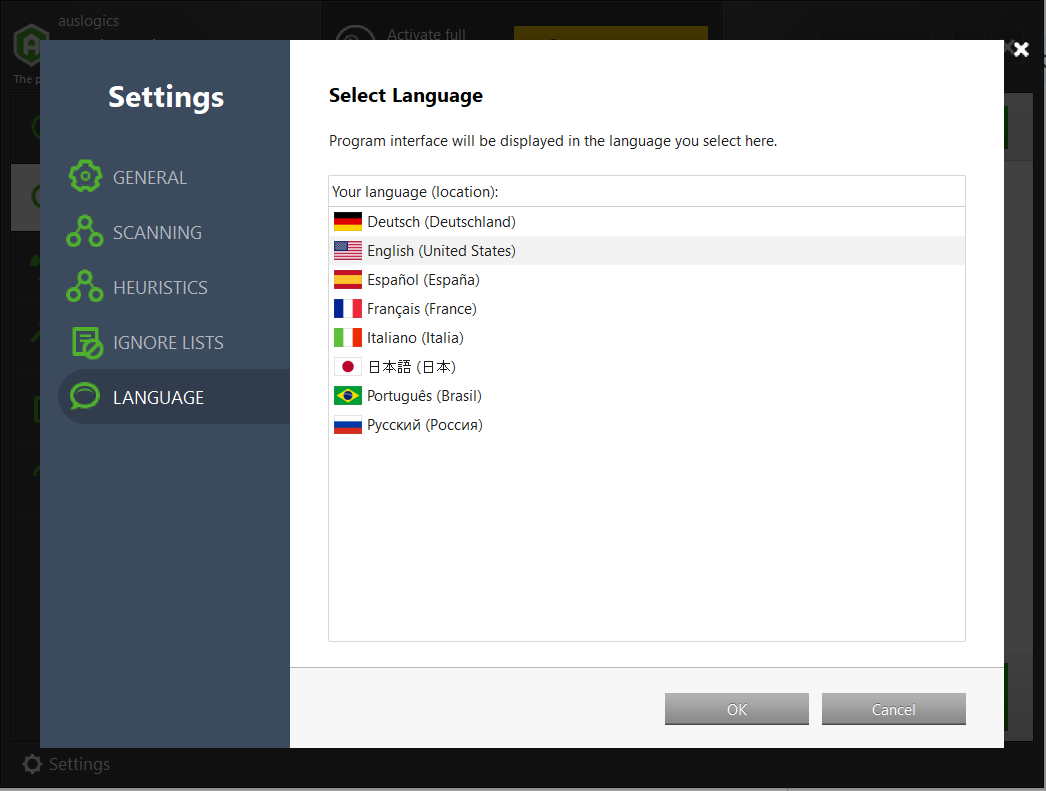
For non-native English speakers, you can switch to your native language for convenience.
Available languages in Auslogics Anti-Malware include German, Spanish, French, Italian, Chinese, Portuguese, and Russian.
What Sets Auslogics Anti-Malware Apart from Other Products?
If you’re wondering how Anti-Malware stacks up against other similar tools, then take a look at the following table:
| Features | Auslogics Anti-Malware | Malwarebytes | IObit Malware Fighter |
|---|---|---|---|
| Adjustable heuristic settings | ✅ | ❌ | ❌ |
| Select which areas of your PC to scan | ✅ | ❌ | ❌ |
| Choose between quick, deep, or custom scans | ✅ | ❌ | ✅ |
| Choose which file types to scan | ✅ | ❌ | ✅ |
| Quarantine potential threats | ✅ | ✅ | ✅ |
| Add files and folders to ignore lists | ✅ | ✅ | ✅ |
| Scan scheduling | ✅ | ✅ | ✅ |
| Real-time protection | ❌ | ✅ | ✅ |
| Frequent malware database updates | ✅ | ✅ | ✅ |
| VPN feature | ❌ | ✅ | ✅ |
| Pricing |
|
|
|
| Supported devices | Only Windows PCs | Supports Windows PCs, Macs, iOS, and Android devices | Only Windows PCs |
Here are some of the unique upsides of Auslogics Anti-Malware:
- Catches threats your main antivirus might miss:
With the frequent updates of Anti-Malware’s threat database, coupled with its adjustable heuristics algorithm, you can catch malicious items skipped over by your primary security program.
- Easy scheduling with low system impact:
Scheduled scans take place in the background with little to no impact on the speed and performance of your computer.
- Custom scan scope and customizable engine:
Customizable scanning options mean that you can make scans more or less aggressive and more or less broad, depending on your particular situation.
- Integration with other Auslogics products:
Auslogics provides a suite of products for PC security, optimization, and maintenance. Anti-Malware combines with these other products to keep your PC in the best health possible.
User Reviews and Opinions
What do users have to say about Auslogics Anti-Malware and Auslogics products in general? Let’s find out.
Trustpilot rating: 4.2/5 (1,956 reviews)
Auslogics replied to 100% of negative reviews on Trustpilot. And typically replies within two weeks.
According to users on Trustpilot, Auslogics Anti-Malware is a safe, effective, and user-friendly addition to PC security.
Here are some of the user reviews:
⭐️ “I’ve been using Auslogics software suites for several years, they are the only ones I found that offered a variety of programs to choose from that suit my needs. They provide important updates as needed, their Anti-Malware is superb.
Their tech support can’t be beaten, top-notch and personalized assistance is there wherever needed.
I HIGHLY recommend Auslogics for anyone concerned about keeping their computers operating at their best!” — Tom Wilson.
⭐️ “My computer skill/understanding level is pretty low (hey—I turned 72 Monday). I chose to use Auslogics to do the necessaries, and they have been damned good. I have had no issues whatsoever! Happy to recommend this company.” — Steve Dixon.
⭐️ “The comprehensive tools that Auslogics offers to ensure that your PC runs safely and optimally are amazing. I’m grateful I found them, and I’m more than happy to stick with them.” — Kgaugelo.
Auslogics Anti-Malware: Effectively Remove Slippery Malicious Programs
With the growing number of malware recorded on a daily basis, you need a lightweight solution to complement your main antivirus program for increased protection against evasive malware.
Auslogics Anti-Malware is just what you need to give you that extra layer of security without having to spend so much. It is safe, easy to use, customizable, fast, and effective.
Be sure to drop a comment below. We’d like to hear what you think about the product.
FAQ
No. Auslogics Anti-Malware is not a replacement for antivirus software. Instead, it should serve as a powerful addition to your primary antivirus program, providing an extra layer of protection for your PC.
Given the proliferation of threats that are created on a daily basis by cybercriminals, Anti-Malware acts as a second line of defense, catching and neutralizing evasive malware that your main antivirus program might miss.
No. Auslogics Anti-Malware is not designed to monitor your PC in real time every second like a regular antivirus. It works as a supplement to your main antivirus by routinely scanning for malware on a schedule set by the user. You can also initiate scans manually as many times as you want.
Scans monitor running processes and check all areas of your PC for instances of malware. Detected malware is removed, and suspicious items that display anomalous behaviors are flagged and quarantined.
It is recommended to perform a deep scan at least once a week. And if you frequently download files, access email attachments, or visit potentially unsafe websites often, then you should schedule deep scans to run at least twice a week.
You can also initiate manual scans at any time you feel that one is needed. For example, after a new download.


