 BoostSpeed 14
 Disk Defrag
 SSD Optimizer
 Driver Updater
 Disk Toolkit
 Disk Defrag Ultimate
 Registry Cleaner
 Essential Tools
 Registry Defrag
 PureVPN
 Anti-Malware
 File Recovery
 BitReplica
 ChillMate
 Duplicate File Finder
 Video Grabber
 Windows Slimmer
 System Information


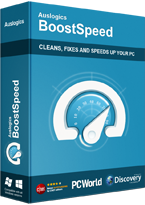
 FREE DOWNLOAD
 BoostSpeed 14
All-in-One PC Optimizer You’ve Been Looking for!
What Can Auslogics BoostSpeed Do to Speed up PC?
Check Your PC Performance Status
Clean up PC
If you don’t know how to clean up your computer safely, without accidentally clearing crucial system files or valuable personal data, use BoostSpeed to identify the files that are no longer needed. BoostSpeed will check all common locations on your PC that may house temporary files, cache, old logs and other junk files, then remove everything in a click for a thorough disk cleanup.Completely Uninstall Unneeded Apps and Programs
Auslogics knows exactly how to get more storage on PC. Even if there is not enough space on the disk after you run general junk cleanup, the Uninstaller tool in BoostSpeed lets you clean your hard drive further by removing programs you no longer need along with all their traces that might otherwise get left behind.Disable Startup Programs
Review the list of apps that are set to run when your PC boots up and disable unneeded ones, so your Windows can start up faster. Most of these items usually have no reason to be loading with your OS and can be easily launched when and if you need them at a later time.Boost Privacy Protection
Speed Up Internet Connection
Another way to boost overall computer performance is by improving your Internet connection. The Internet Optimizer in BoostSpeed offers both manual and automatic options for tweaking your network settings and ensuring top connection speed.Compatible with Windows 7, 8, 8.1, 10, 11.
Prevent PC from Overheating
Slim Down Your Windows
BoostSpeed will suggest Windows tweaks that can reduce the amount of disk space taken up by system files and data. It will let you remove old Windows logs and update files for additional disk cleanup, and tweak Windows privacy settings for a safer and smoother user experience.Optimize SSD or HDD
Clean Your Windows Registry
Remove invalid, empty or corrupt keys from the registry to help stop or prevent system glitches that might be caused by them. Smoother computer performance without the freezes, crashes or error popups.Automate Computer Maintenance
With BoostSpeed you can schedule automatic PC maintenance that detects and eliminates issues in real time protecting your performance and keeping your PC running at top speed. Knowing how busy your life can be, we created this functionality so you can set it once and have your PC auto-cleaned and accelerated on a convenient schedule.Why is Auslogics BoostSpeed the Best PC Optimizer for Your Computer?
Industry-Acknowledged Quality
Auslogics software products have been proven safe and effective in multiple tests, used by PC manufacturers and recommended by experts.100% Money-Back Guarantee
We guarantee that our software will deliver the results it is designed for. If you aren’t satisfied with the outcome, you may receive a full refund within 30 days of license purchase.User-Centered Approach to Development
Here at Auslogics, we go the extra mile to collect user feedback and adjust software functionality to address our users’ pain points and provide just the tools they need for their computers.Fast Professional Support
Use the Ask a Question tool in BoostSpeed to post your question and get an answer from tech experts, or email our friendly support for prompt assistance. Most inquiries are answered within a few hours.How to Optimize PC with Auslogics BoostSpeed
Step1
Download and install BoostSpeed on your PC Step2
Run a scan to identify potential performance issues that may require attention Step3
Click the Resolve All button and let BoostSpeed take care of all detected items Compatible with Windows 7, 8, 8.1, 10, 11.
Benefits of Using Auslogics BoostSpeed
Speed up Old Windows Computer
Junk accumulations, registry issues and other PC slowdown causes may get out of control the longer you use your computer. Auslogics BoostSpeed has been known to bring back to life PC dinosaurs that people had put away into a basement or attic. The program will run thorough registry and disk cleanup, identify non-optimal settings or tweaks that can be applied to speed up PC performance.Set Up and Optimize New Computer
Even right out of the box, new computers often need to be cleaned and customized. Use BoostSpeed to clean out demo content and installation files that are no longer needed, to set up your new Windows and make it look and work just the way you want.Ensure a Thorough PC Cleanup
BoostSpeed is one of the best PC cleaners available for any Windows computer. Besides cleaning out junk files, the suite offers several tools for a deep disk cleanup. It helps you sort through installed software and personal files, lets you clear logs, old installers, duplicate files and a lot more. Cleaning PC storage is especially important for a computer with a smaller system drive, but is also incredibly beneficial for PCs that are used actively.Keep Any PC Running Fast and Smooth
Optimizing PC is one thing, but keeping it in top shape at all times takes continuous effort. BoostSpeed lets you schedule automatic maintenance that will keep your computer performing at the top of its powers with no input required from you.Industry Acclaimed
Auslogics software is recognized by leading IT magazines and online resources











Compatible with Windows 7, 8, 8.1, 10, 11.
Compare BoostSpeed 14 Versions
Try the free BoostSpeed version to see how you like the app, or go with the Pro version for unlimited PC maintenance and optimization functionality.
BoostSpeed 14
Still Have Questions?
There may be a number of different reasons why you might be experiencing PC slowdown. It could be a heavily fragmented hard drive, large accumulations of junk files, registry issues, non-optimal system settings, incorrect installation of some software you use regularly, and the list of potential reasons can go on and on. BoostSpeed is designed to identify the causes of your PC’s slow performance and work on getting them resolved to speed up your PC.
There are a number of ways you can try to speed up your PC. Among those are thoroughly cleaning PC drives, adjusting non-optimal system settings, cleaning the registry, optimizing Internet connection, and resolving all kinds of issues that may potentially cause PC slowdown. With BoostSpeed, you get access to all the tools you need to clean and tune up your computer for faster and smoother performance.
PC cleanup usually includes removing temporary files, clearing browser and system cache, deleting old OS copies, software installers, downloaded Windows updates that have already been installed. For a deep disk cleanup, you can also remove duplicate files, sort through large files stored on your drives, review the biggest space consumers and move them off your PC. Many of these things can be done manually, but using a comprehensive PC cleaner like BoostSpeed saves you the time and effort by automating most disk cleanup tasks.
Any PC starts experiencing performance issues with continued use. As you create, save and edit files, install and remove software, download web content, copy and move things around on your computer, it accumulates junk files and issues that may potentially affect performance. Over time, the negative effects on PC operation may get so prominent that you may decide to take your PC to a repair shop or start thinking about replacing your computer altogether. While Windows has some built-in functionality to help maintain the system, oftentimes it is either not enough or requires some skill to locate and enable. Using PC optimization software like BoostSpeed simplifies maintaining your computer, so that a user who would otherwise never bother running any maintenance tasks can set up automated disk cleanup and system optimization in a few intuitive clicks.
If you want your PC to run faster, smoother and more efficiently, this software can help. BoostSpeed’s diagnostic algorithms use Auslogics’ proprietary technology to pinpoint what might be behind slow or glitchy computer performance. Just check the boxes next to all scan sections to have them included in the checkup, and run the diagnostic scan to pinpoint issue causes. You will then be able to review everything BoostSpeed detects and decide whether you want to resolve all issues or exclude some of them. Once the detected issues are eliminated, you should see the problem you had been experiencing gone or at least reduced.
If your computer is running slower than when you first bought it, if your operating system is taking longer to start up, applications are taking longer to open, you are experiencing system freezes, your disk space is taken up by lots of junk files or you are just unhappy with how some things happen on your PC, it is a sure sign that your system could benefit from a PC optimization software tool. Being one of the best PC optimizers, BoostSpeed is a tool that can help you fix the issues that might be affecting performance and tune up your computer to run at the top of what it’s capable of.
The answer depends on how you use your device and how well-maintained it is. If you tend to download a lot of files, frequently install and uninstall programs, create, edit, save and copy files, or visit potentially risky websites, a PC cleaner can help keep your system free of junk and running smoothly. To find out if a PC cleanup is in order, pay attention to any signs of slowing down, frequent error messages, crashes, or issues with loading programs. You can also check your computer's storage space and performance metrics to see if they are significantly impacted. Ultimately, the decision to use a PC cleaner may depend on how much time and effort you want to put into maintaining your computer's health. Cleaning your drives manually requires a lot of both, but using an automated PC cleaner like BoostSpeed lets you give your computer system a faster and more thorough cleanup with just a few simple mouse clicks.
IT experts recommend having an optimization suite like BoostSpeed installed on each brand-new computer to prevent glitches from occurring in the first place. As soon as you start using your PC, it starts accumulating junk files, its hard drive may start getting fragmented, its system configuration may require adjustment. BoostSpeed helps set up your PC to work the way you want, lets you run regular maintenance and catch issues before they cause performance deterioration.
Auslogics BoostSpeed 14 supports the following Windows versions:
- Windows 7 (32-bit and 64-bit)
- Windows 8 (32-bit and 64-bit)
- Windows 8.1 (32-bit and 64-bit)
- Windows 10 (32-bit and 64-bit)
- Windows 11
It does not support Windows 2000, 95, 98, 98SE, ME, XP, or Vista.
There are no Mac or Linux versions.
Discover PC Optimization Insights
How to Stop Unnecessary Apps Running in the Background on Windows 10/11
I get how frustrating it can be when apps and programs continue running in the background, even after you’ve disabled them. Besides eating away your computer’s battery life, they also affect performance. On top of that, there may be hidden app […]How to Free Up Space on C Drive on Windows 10/11
This is a quick guide on h ow to free up space on the C dri ve to keep your system functioning at its best. We’ve detailed the solutions from the easiest to the too-many-steps method, depending on what works for you. Go through them and choose t […]So Easy to Do: How to Uninstall Programs and Apps on Windows 10/11?
Knowing how to uninstall programs on Windows 11 or 10 is a no-brainer. However, I understand why some users may struggle, especially if they are switching from a different OS. That said, what’s really frustrating—particularly for me—is that […]Cat on Computer: How to Protect Your PC from Paw-sible Damage
Do you own a cat, a couple, or even a dozen cats? Having cats on your comput er can be a recipe for disaster. Online forums are flooded with stories of how a cat taking a stroll across a computer keyboard caused some serious damage that’s hard t […]How to Beat the Average Laptop Lifespan: Simple Ways to Make Your PC Run Longer
On average, you can use your laptop for about three years before you start seeing any problems or decline in performance. But these are influenced by various factors, like its type, usage patterns, and how you maintain it. But h ow long do laptops […]Purchase BoostSpeed 14 Pro today and get that new PC feel back


Trusted by Millions of PC Users Worldwide
Windows users around the world are enjoying a faster and smoother PC experience thanks to their computers being optimized with BoostSpeed.