


- How Do Device Drivers Work in Windows?
- Few things to note before you start updating drivers on your PC
- How to Update Drivers on Windows 10/11 PCs
- Common Windows Driver Update Issues
- The “Your system has a driver that is locked to manufacturer specifications” error
- BSODs, system crashes, and black screens after the update
- Screen flickering, hardware detection issues, and random glitches after installing the update
- The “Windows encountered a problem installing the driver software for your device” error
- Why Should I Keep My Drivers Updated?
- How to Update Drivers on Windows 10 and 11 Drivers: Explained
- FAQ
Every piece of hardware on your computer is enabled by a driver that tells the device what your operating system wants.
You need the latest versions of device drivers to keep that communication going.
However, getting those drivers may not be easy work in some situations. I’ll show you how to update drivers on your PC using every available option and solutions to common driver installation problems.
How Do Device Drivers Work in Windows?
Device drivers are software programs that act as interfaces between your operating system and hardware components. They ensure Windows can detect and talk to these devices. Drivers also provide critical information and configurations to ensure your operating system utilizes your hardware’s features and capabilities efficiently.
That means your devices won’t work correctly without the proper drivers. Windows driver updates are also necessary to provide new features, improve efficiency, and fix problems.
📌 You can read our explainer on Windows drivers to learn more.
Few things to note before you start updating drivers on your PC
- Check driver details: Some drivers are designed for specific purposes that may not be ideal for your computer. Check driver release notes published by the manufacturer to assess whether you can live with the potential bugs that may affect your system.
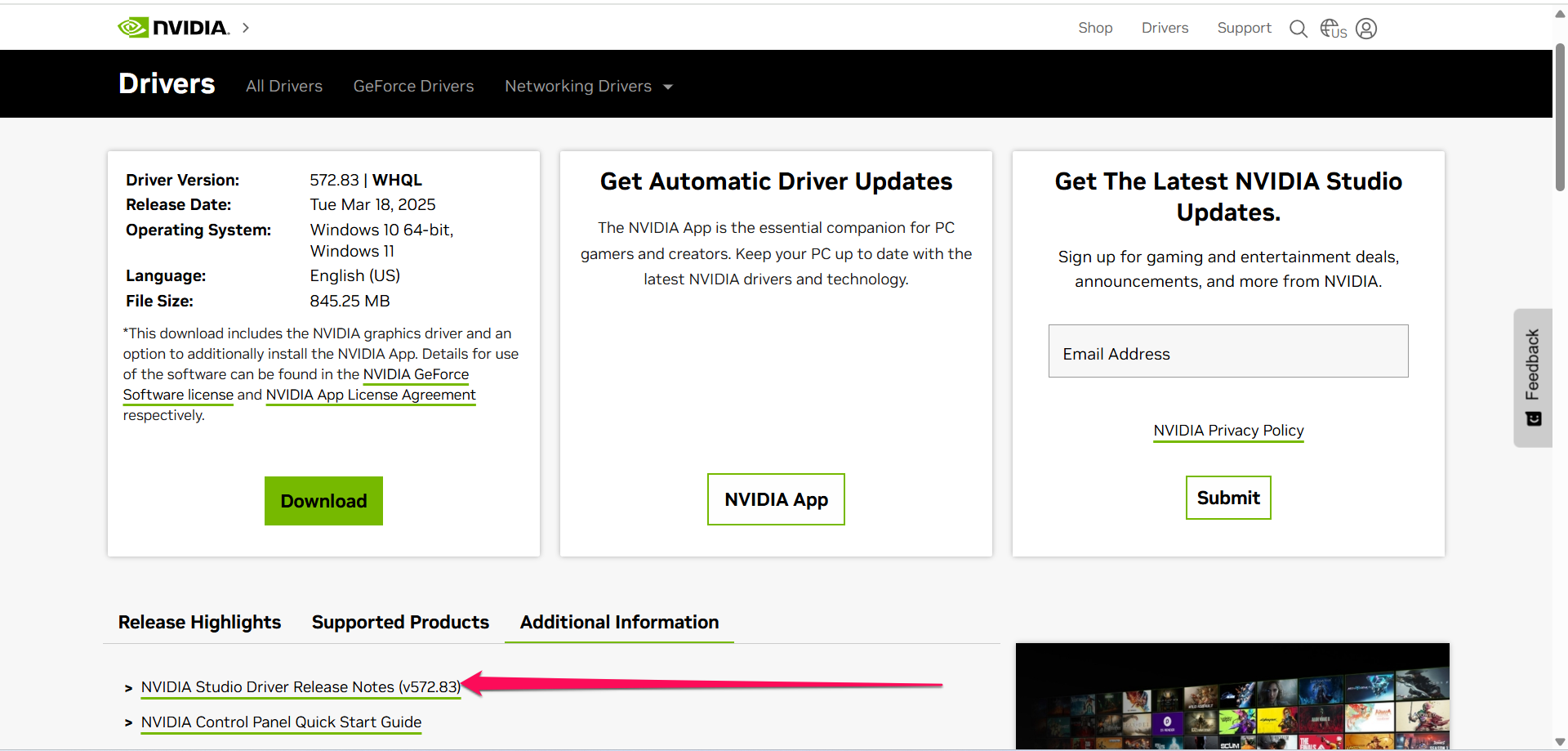
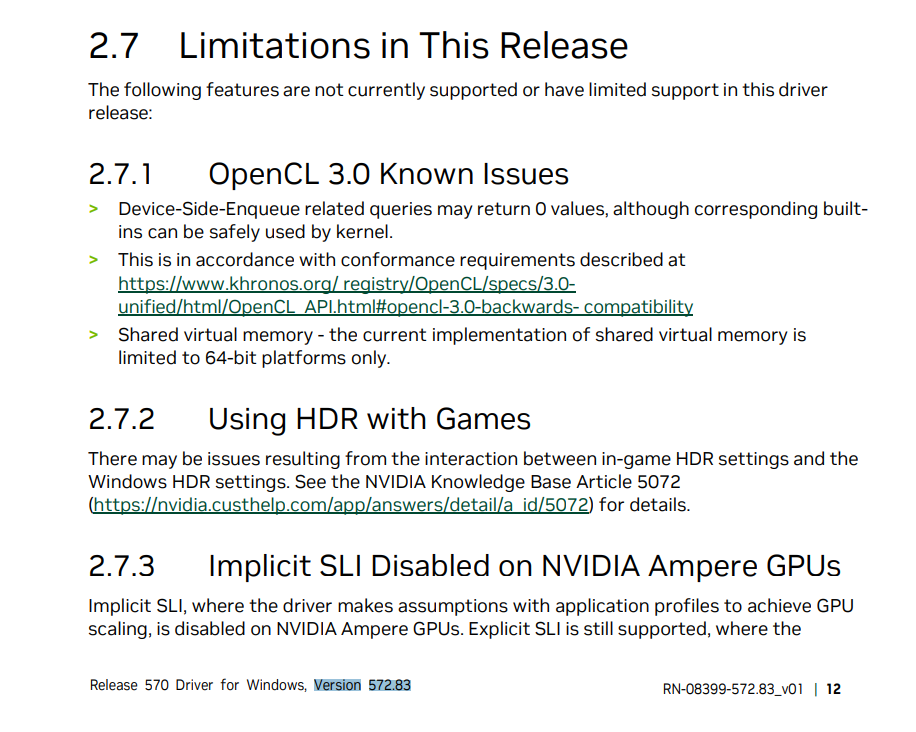
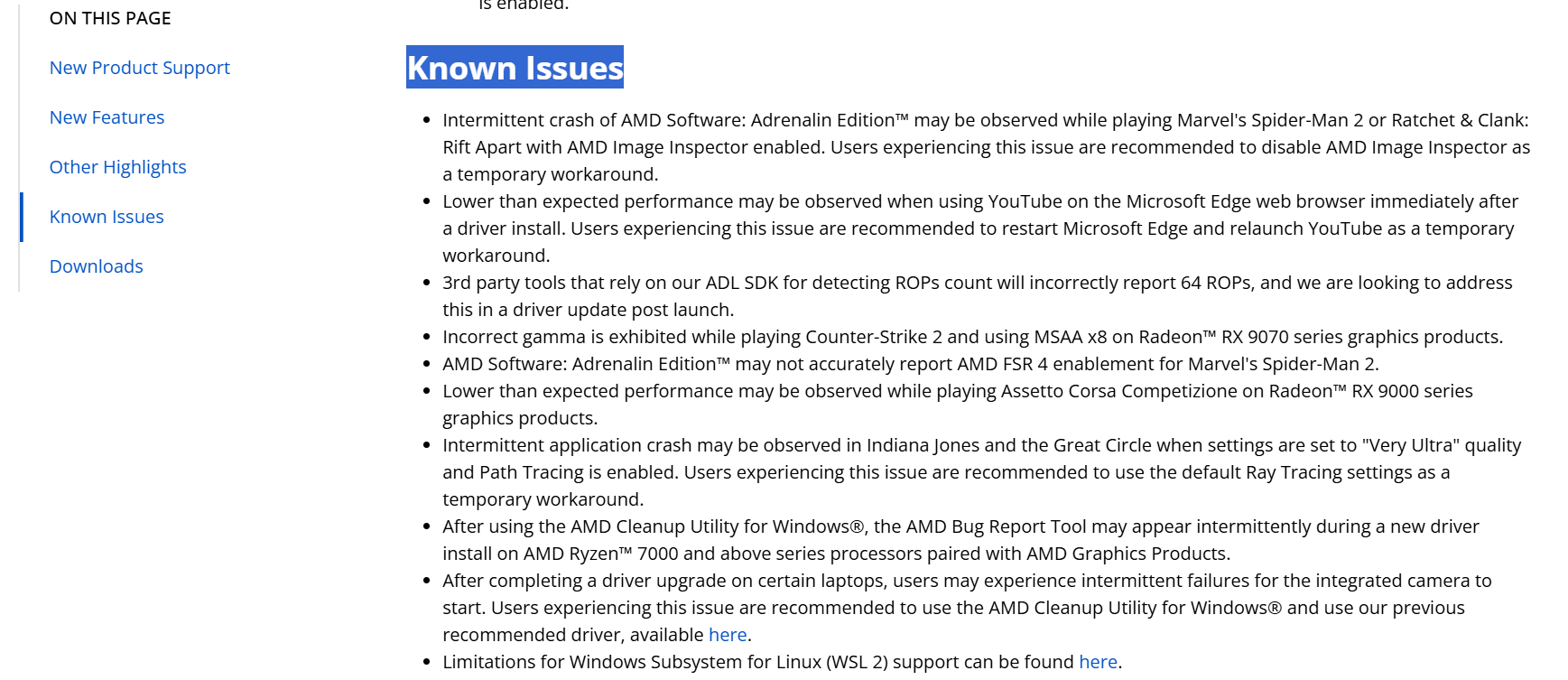
- Confirm compatibility with your Windows version and known bugs: Some drivers clash with specific Windows 10 and 11 versions. While the release notes may include such warnings, you may have to check user forums for information.
For example, GeForce Experience (now NVIDIA App) kept hounding a Reddit user to install a driver update after the user completed the installation. The issue was widespread, as many users complained about the same problem. If you check for driver updates and see such problems, it will be a good idea to wait until the bug is fixed.
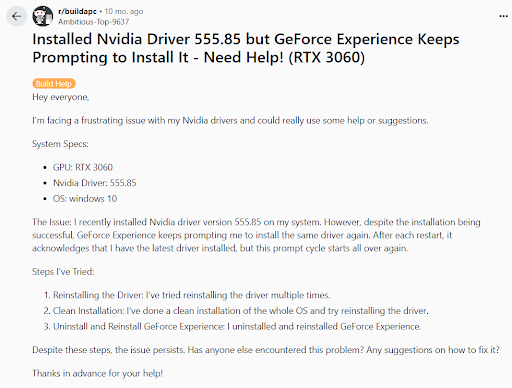
- Research the best installation methods: Sometimes, performing a clean installation is better than updating. In other situations, using a reliable driver updater tool or downloading directly from the manufacturer’s site may be better than going through Device Manager. You can check with users who have installed the same driver update to confirm whether there are peculiar installation methods to use.
In some cases, you may have to install a specific driver (that is still newer than your current driver but older than the latest update), just like this user did.
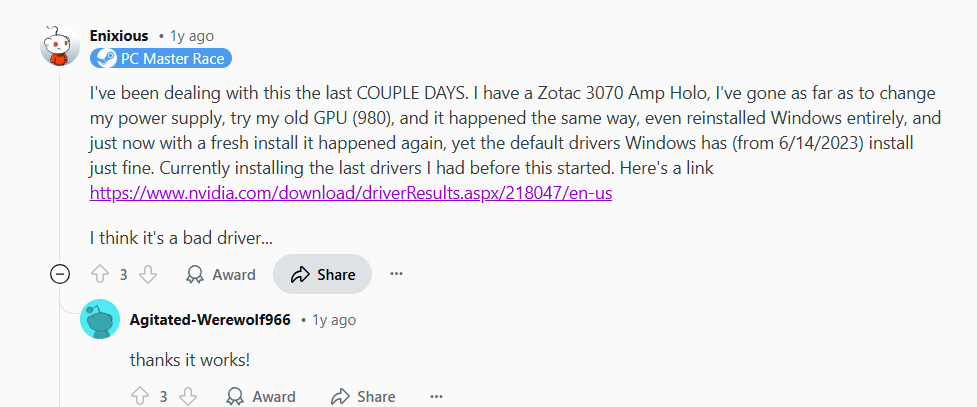
- Back up your driver and create a restore point: Sometimes, driver updates can be buggy and cause more problems than they are designed to solve. You can protect yourself from these situations by creating backups and system restore points. That way, you can return to your previous driver until the manufacturer sorts things out.
While creating a system restore point is easy, backing up device drivers may be complex. You can follow these steps to back up all your drivers in Windows:
- Create a folder where you intend to save the backups.
- Open the Command Prompt as an administrator.
- Now, type dism /online /export-driver /destination:”BACKUP_FOLDER_PATH”
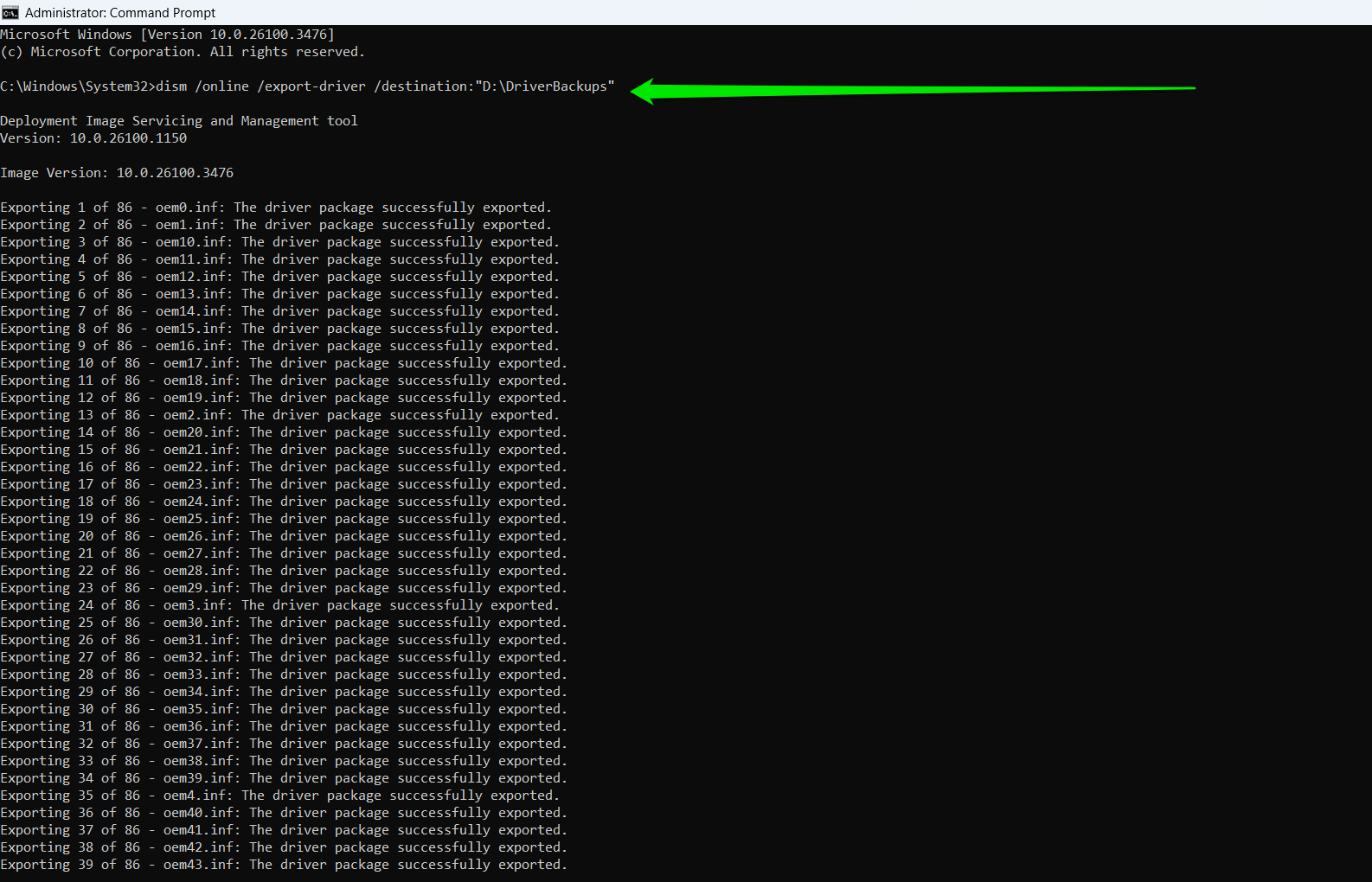
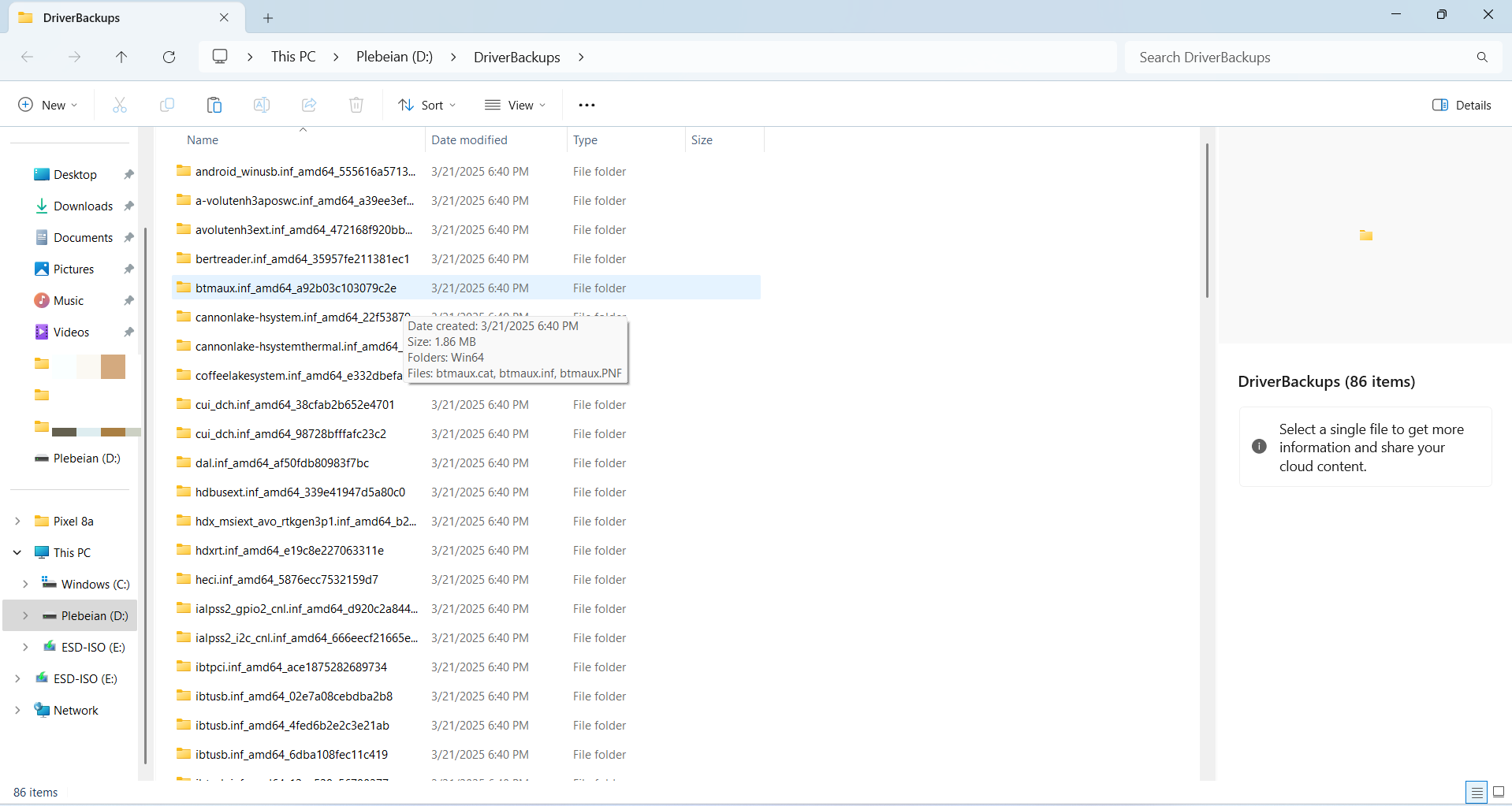
- Windows will create a folder for each driver that it backs up within the folder you created.
How to Update Drivers on Windows 10/11 PCs
Now, let’s cover all the different methods for finding, downloading, and installing Windows driver updates. But first, here’s a full overview of methods we will discuss:
| Method | When to use | Advantages/limitations | Procedure |
|---|---|---|---|
| Device Manager |
|
|
|
| Windows Update |
|
|
|
| Microsoft Update Catalog |
|
|
|
| OEM application |
|
|
|
| OEM website |
|
|
|
| Device manufacturer options |
|
|
|
| Dedicated driver updaters |
|
|
|
Method 1: Using Device Manager
⇢ When to use:
- You want to install .inf drivers you downloaded online
- You want to roll back drivers
- You want to uninstall drivers before installing updates
- You want to refresh your drivers
- Easy to use
- Allows you to roll back problematic drivers
- Automatic and manual installation options
- Does not search the Internet for the latest drivers
- Relies on the Windows Update client for drivers, which does not work automatically
- Old, out-of-date drivers are often considered the latest updates
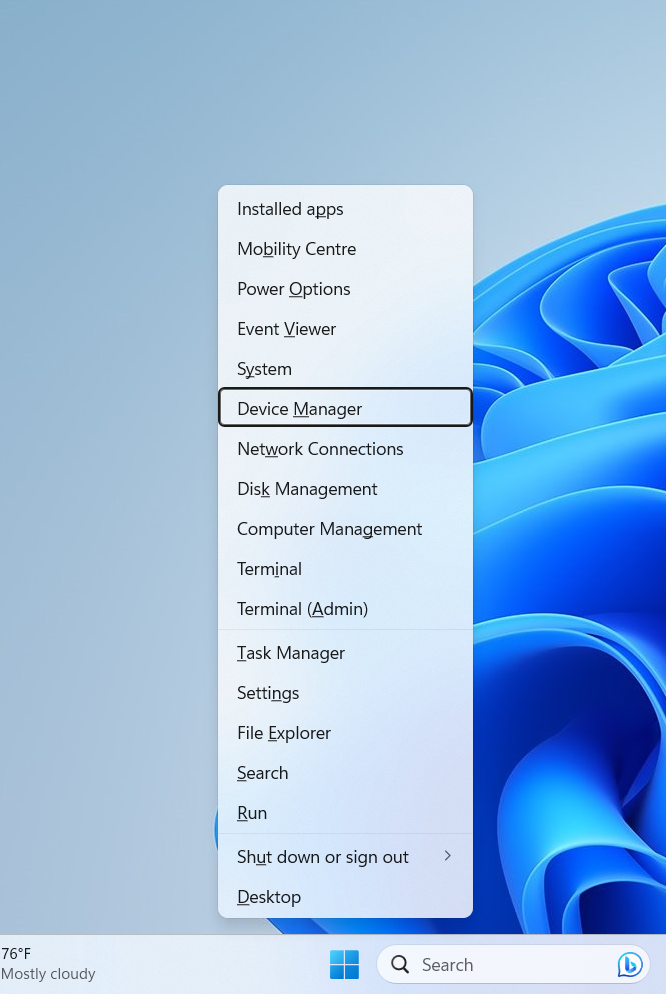
- Right-click the Start button on the taskbar and select Device Manager from the context menu.
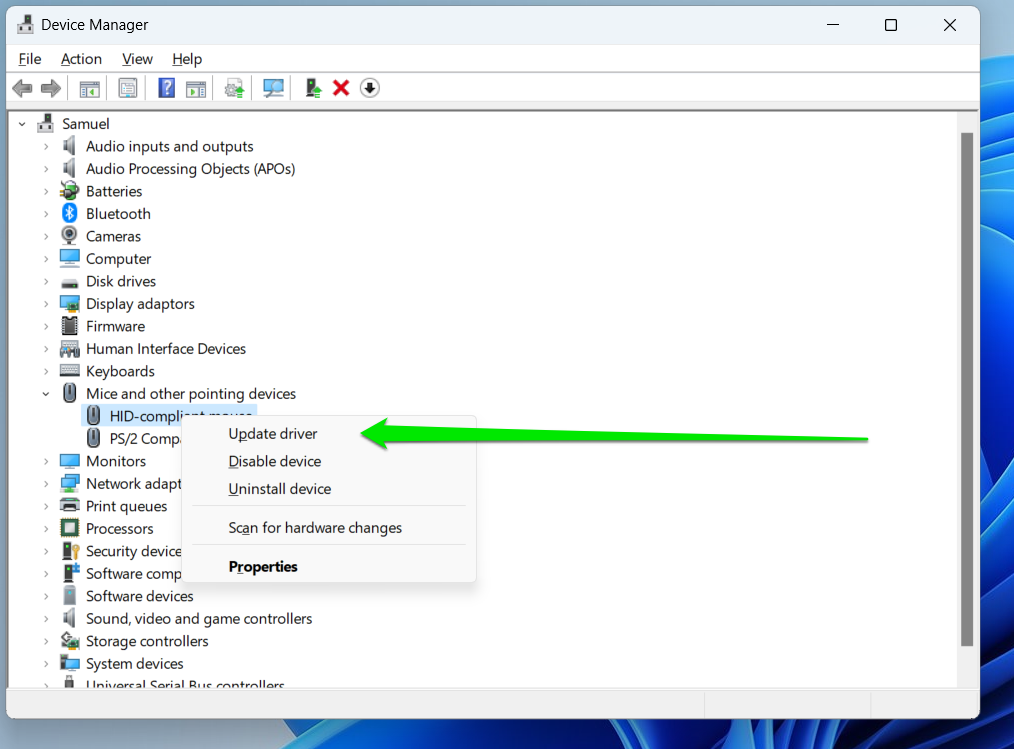
- Expand the category where the device whose driver you wish to update is located. For example, Sound, video and game controllers for your sound card or Display adapters for your graphics card.
- Right-click the device’s entry and select Update driver from the menu.
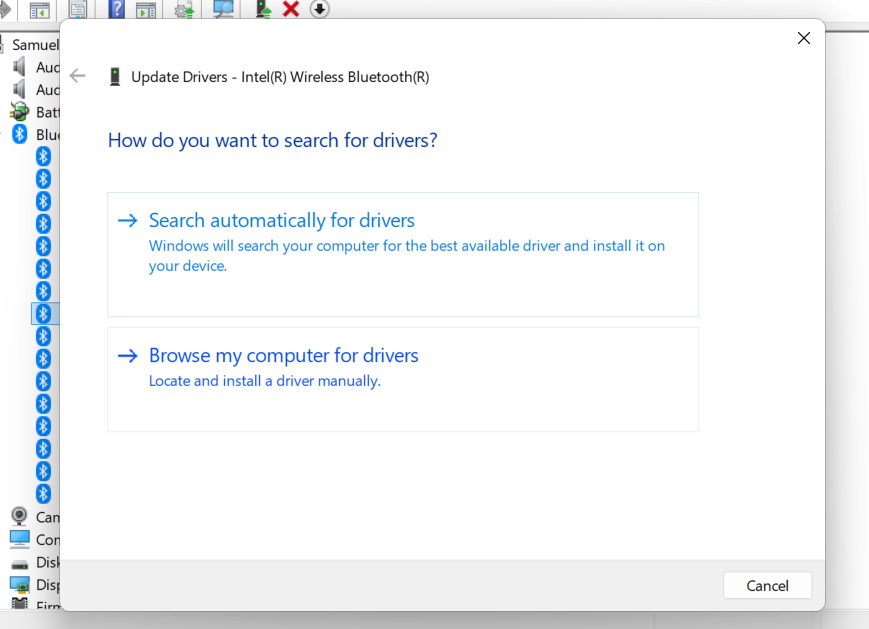
- Click the Search automatically for drivers option in the Update Drivers window.
- Allow Device Manager to search your computer for and install the latest software package for your device.
- Once it is done, restart the PC.
Method 2: Use Windows Update
⇢ When to use
- Microsoft announces major bug fixes and security patches
- When manufacturers like Qualcomm, motherboard makers, and computer producers advise you to use Windows Update for specific driver versions
- When you install a new version of Windows
- Contains drivers specifically designed to work for your computer
- Drivers are verified by Microsoft
- Does not provide every driver update for your system
- Available drivers are not always the latest
- Drivers entries are not descriptive and can leave you confused
- Lack of details increases the risk of installing older drivers
- Open the Start menu, search for Check for updates and click the top result.
- When the Windows Update page appears, allow Windows to download and install pending updates for your computer for general optimizations.
- After updating Windows, return to the Windows Update page and select View optional updates if you’re on Windows 10. For Windows 11, click Advanced options and select Optional updates.
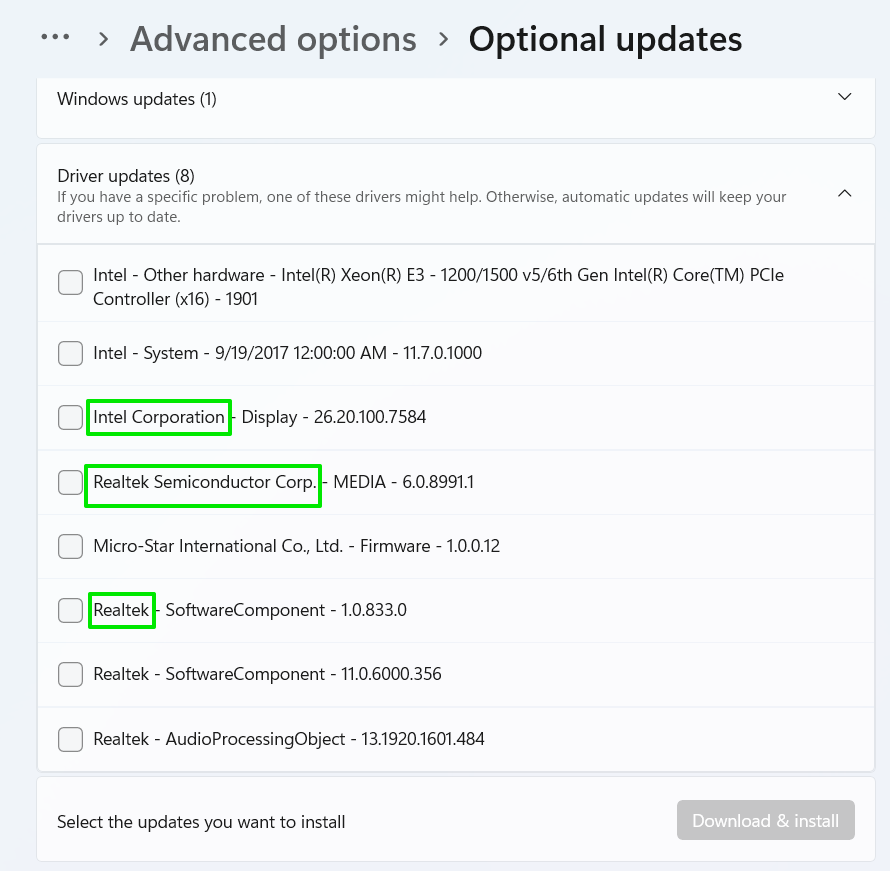
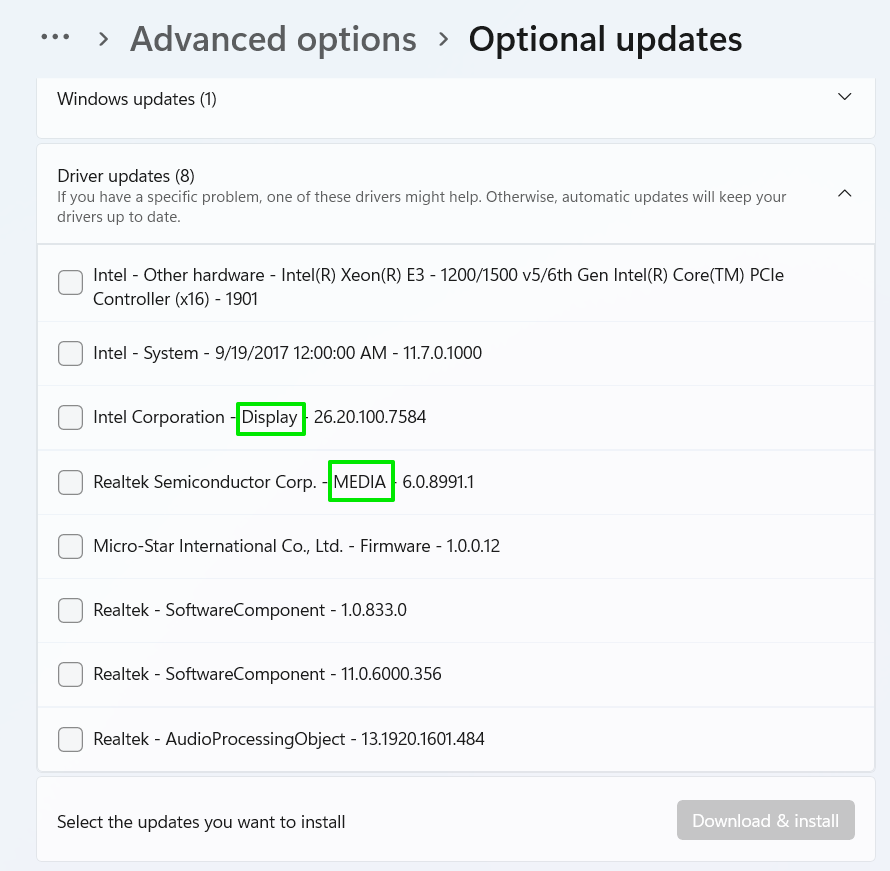
- When the Optional updates window opens, expand the Driver updates category.
- Now, select the drivers you want to download and click the Download & install button.
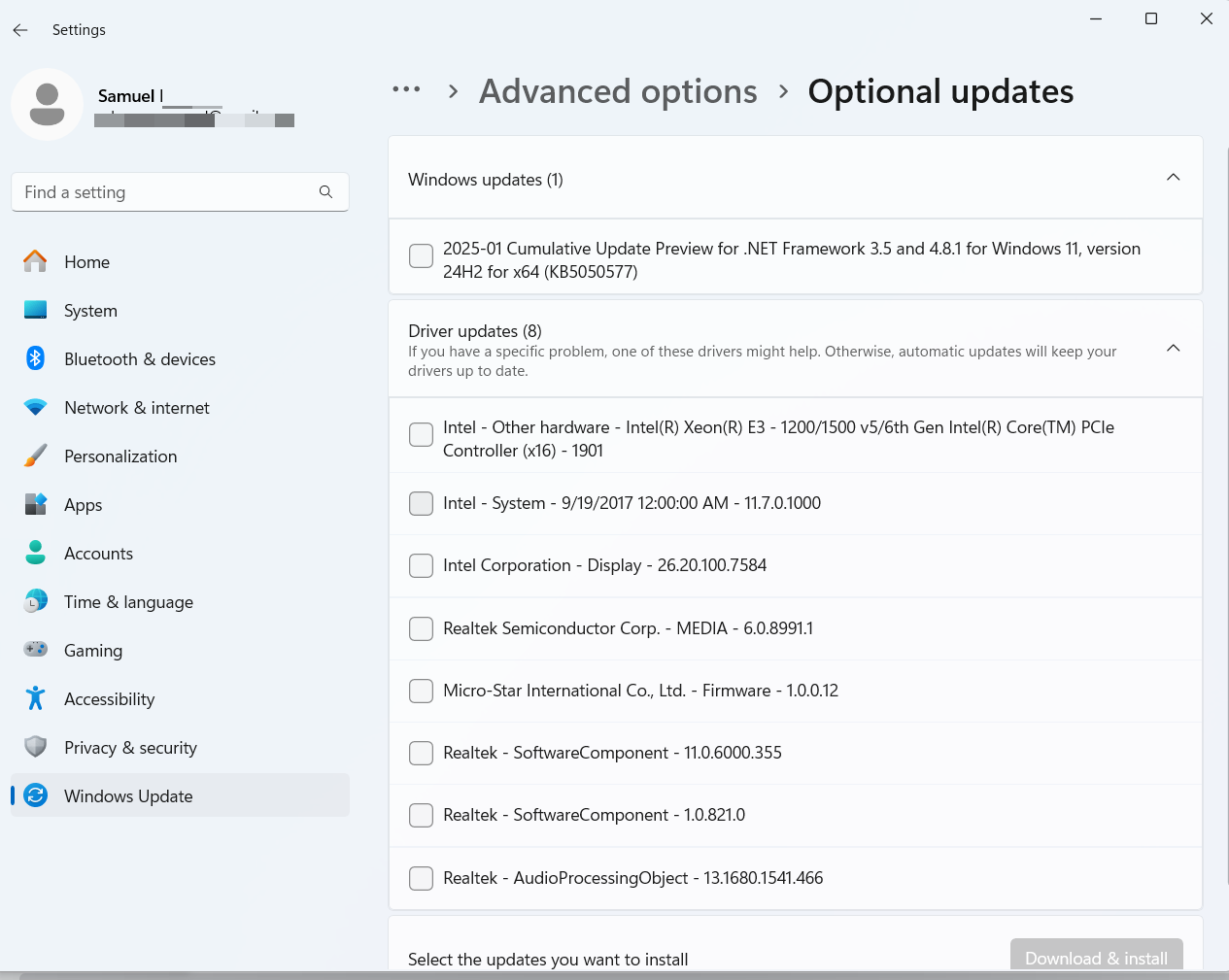
Driver name: The name of the device manufacturer, like Intel or Realtek.
Driver type: Category where the driver falls under. This could be Display for graphics cards or Media for audio.
Driver version: The driver’s version number is usually the last information in the entry. It can be used to determine whether the driver is new or old. You can also use the driver version to confirm which driver is being updated, as manufacturers have different version number formats.
Driver date: Sometimes, release dates are indicated in the driver’s name.
Method 3: Download drivers from the Microsoft Update Catalog website
⇢ When to use
- You’re struggling to find drivers elsewhere
- You need Microsoft-approved drivers
- Provides access to a large pool of drivers
- Allows users to read driver details and confirm compatibility
- Complex installation process
- Messy interface may lead to downloading the wrong driver
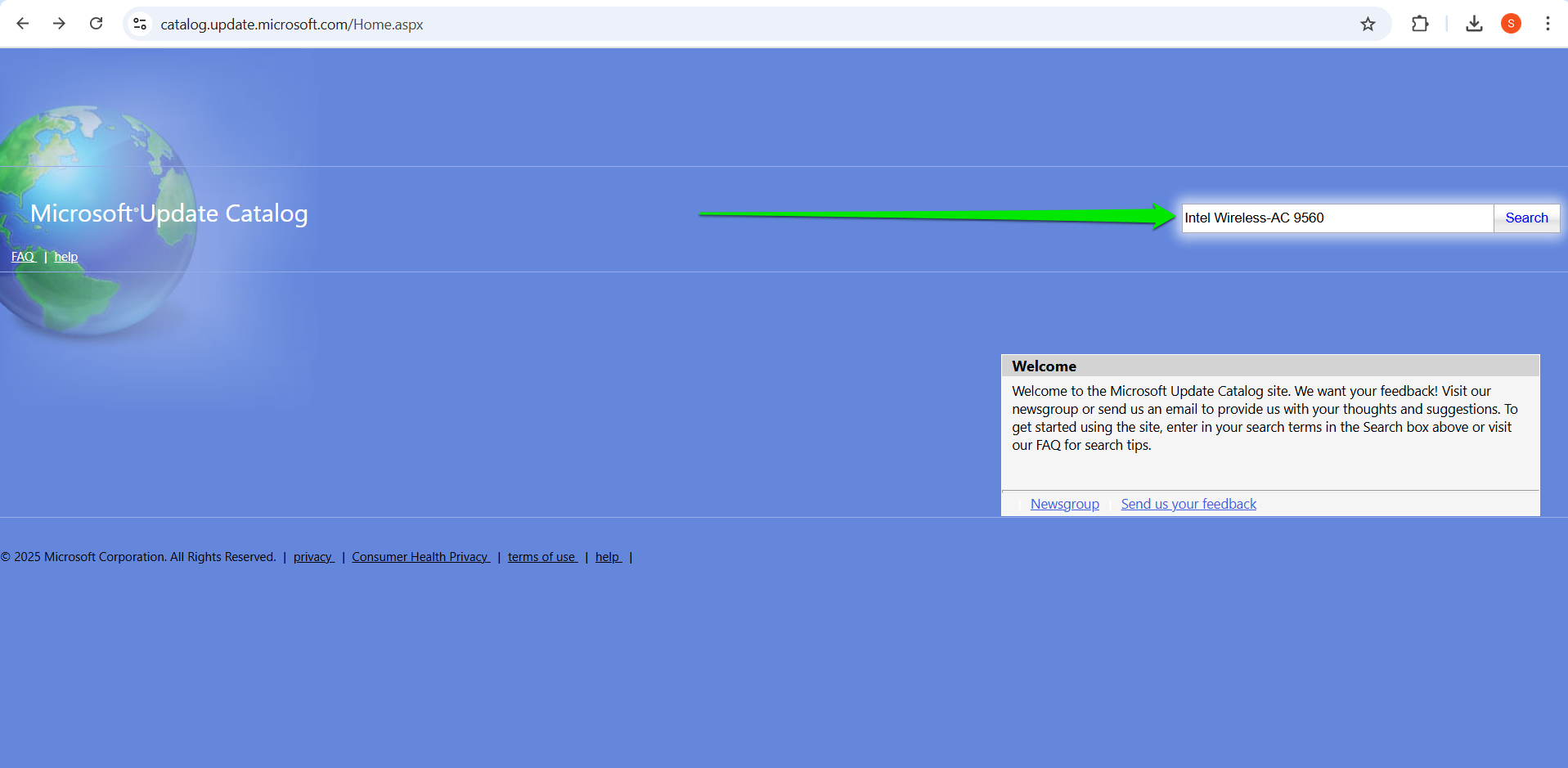
- Visit the Microsoft Update Catalog homepage.
- Type the name of the driver you want to download and install, then click Search.
- The results page will show the name of the driver, the operating system and architecture it was designed for, the driver version (if available), file size, and update date.
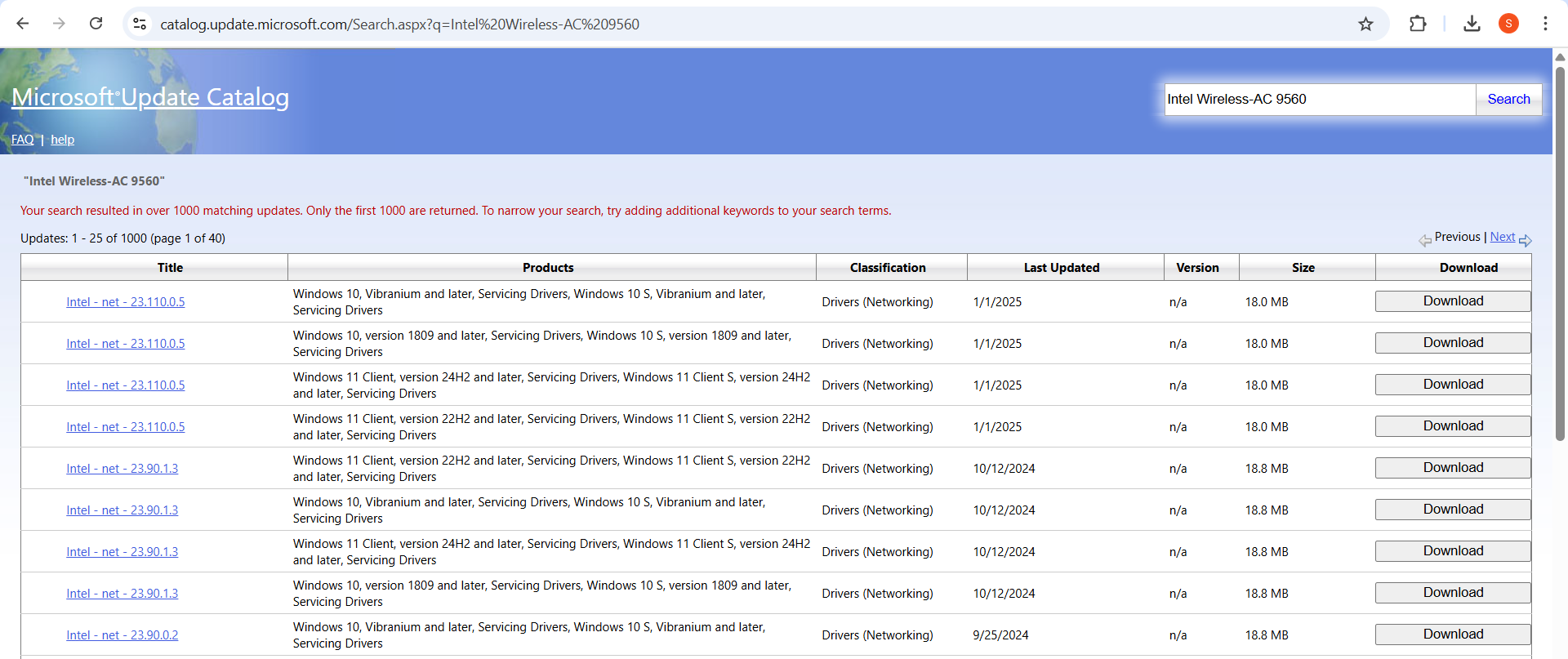
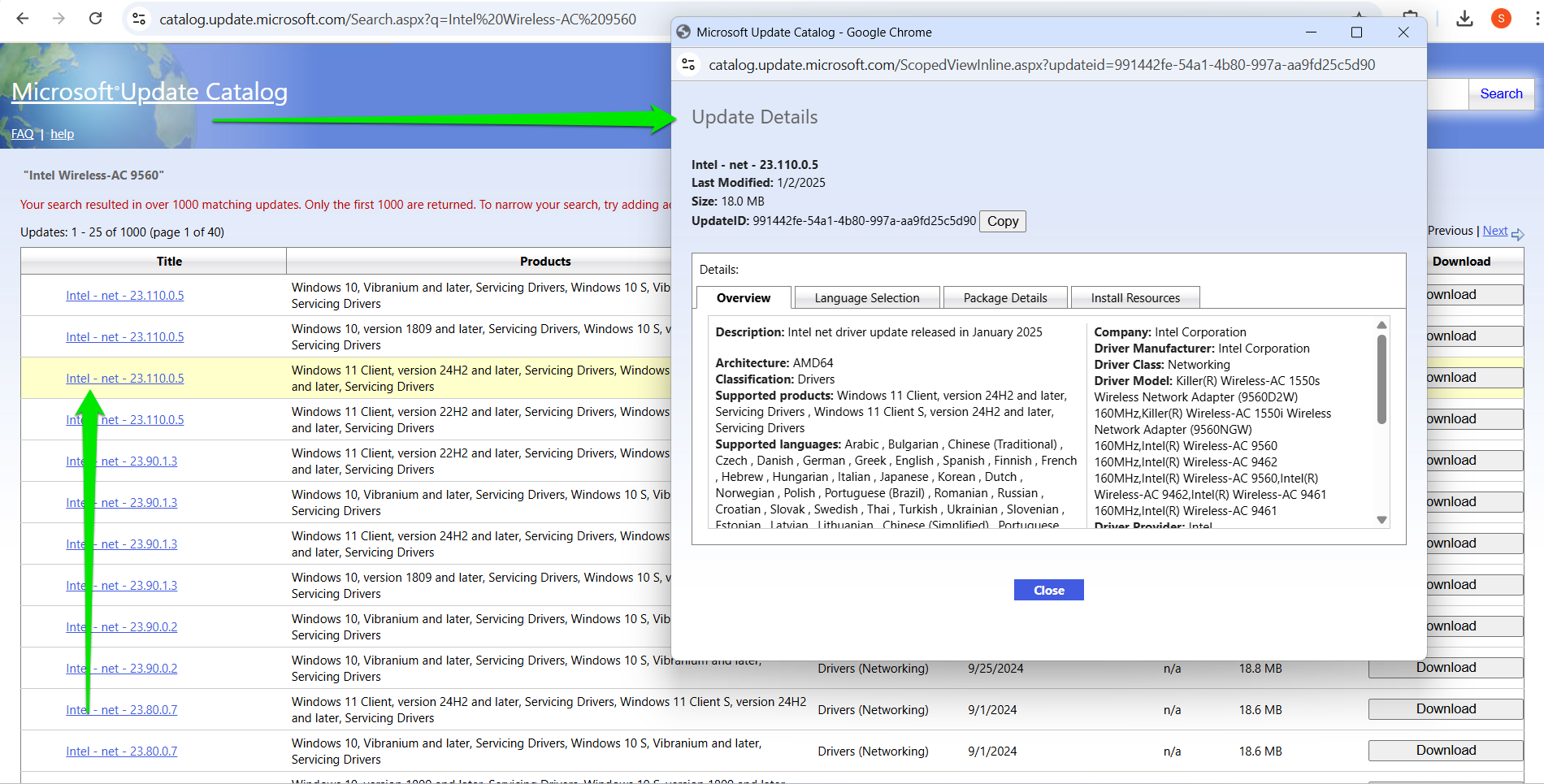
- Next, click the Download button in the last column.
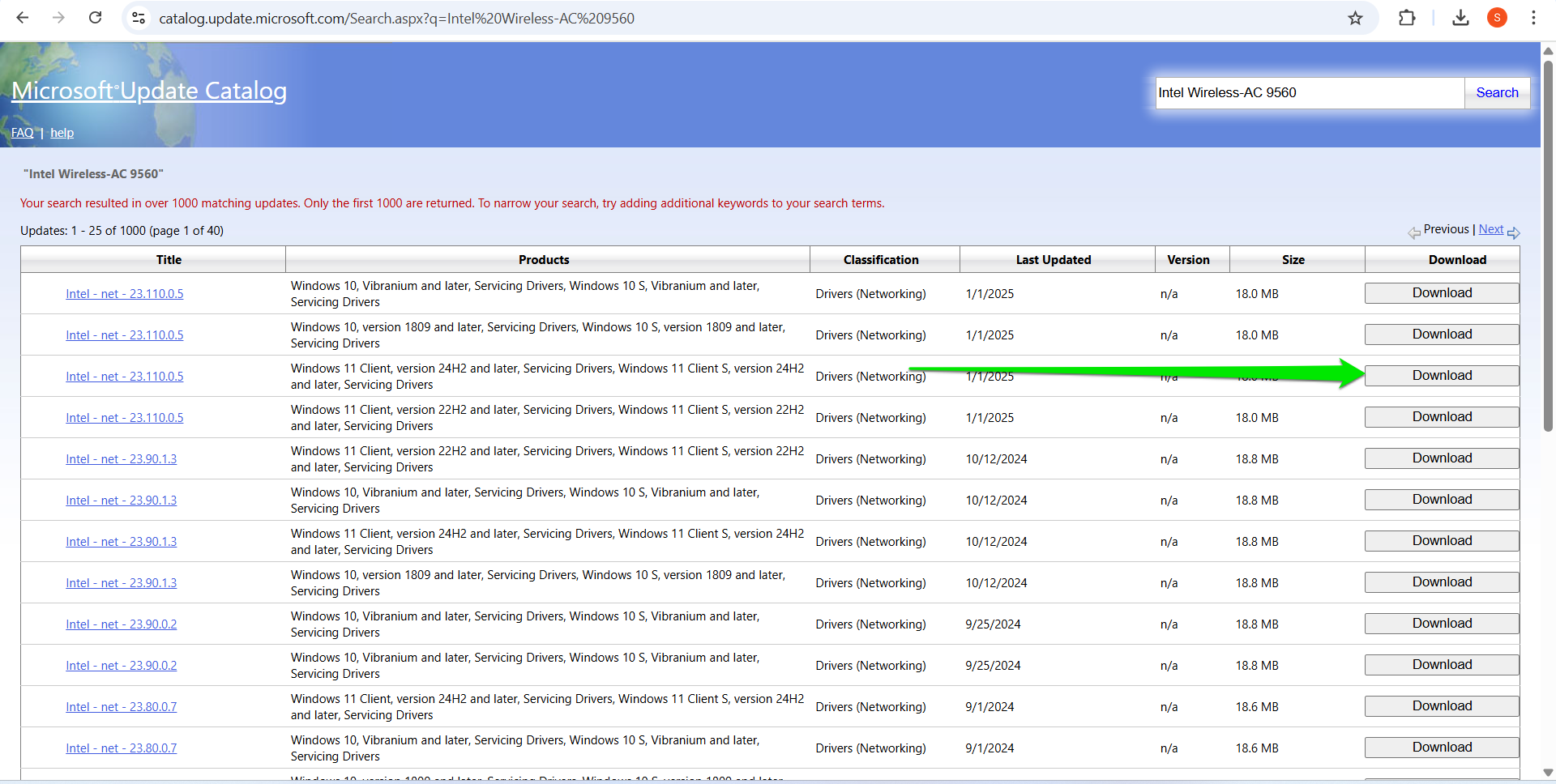
- A small pop-up window will appear. Click the file link to begin the download process.
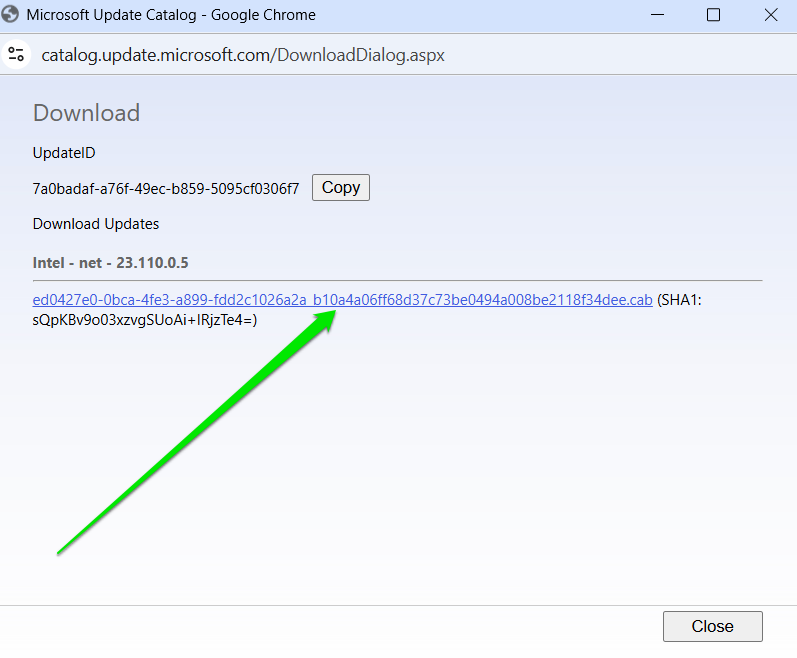
- Once the package is downloaded, double-click it to open it.
- Press
Ctrl + Ato select all the files in the folder. - Right-click the selected files and select Extract.
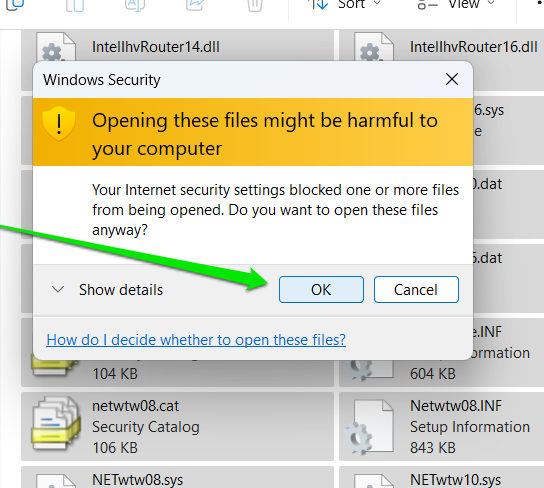
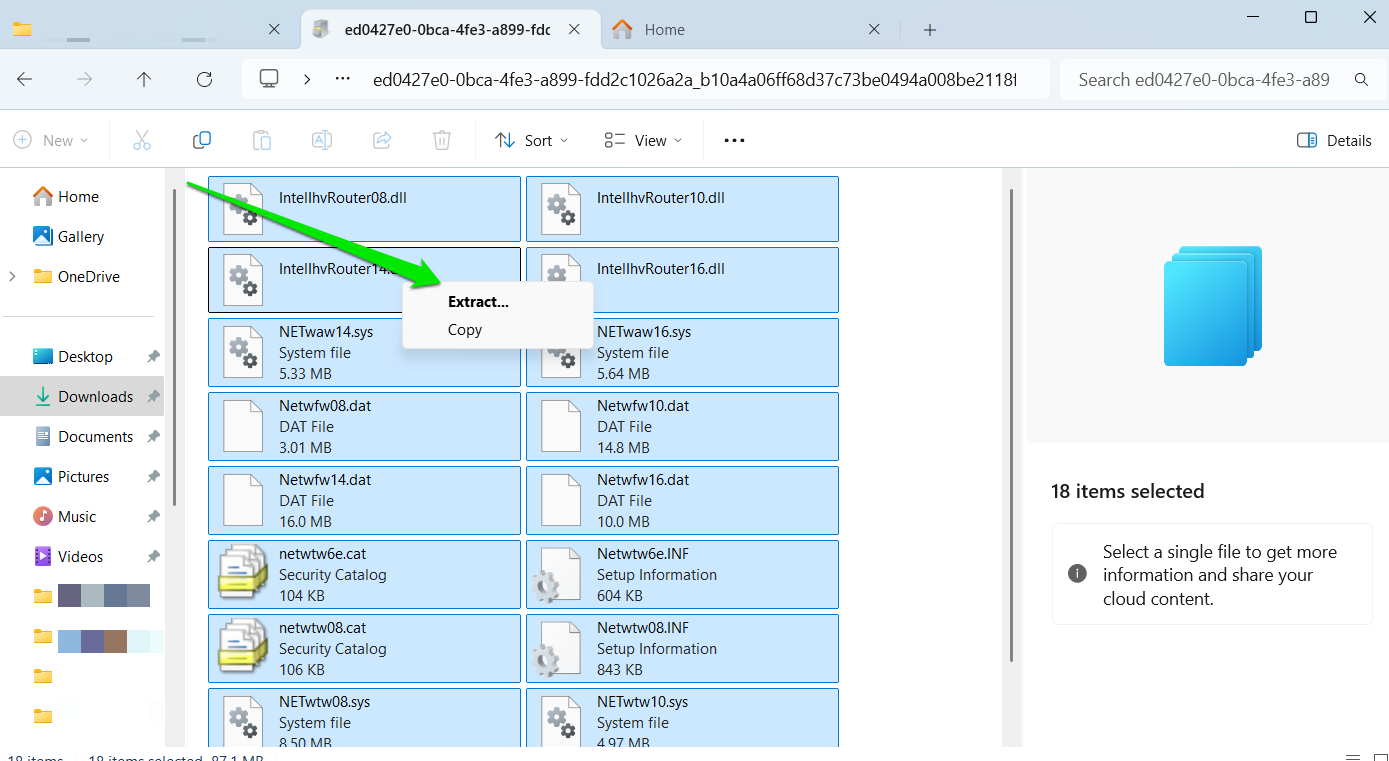
- Choose a folder to save the extractions. Confirm that the .inf file is in the folder.
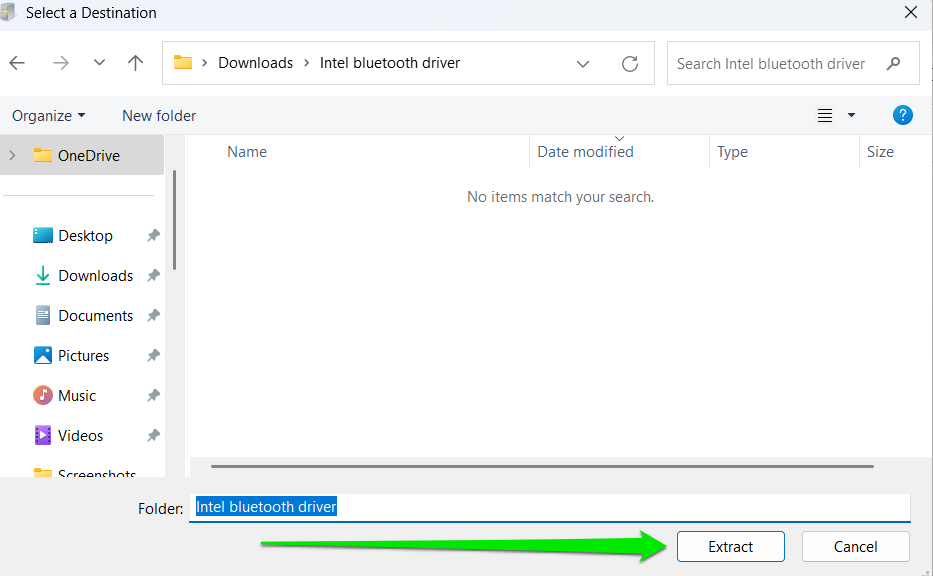
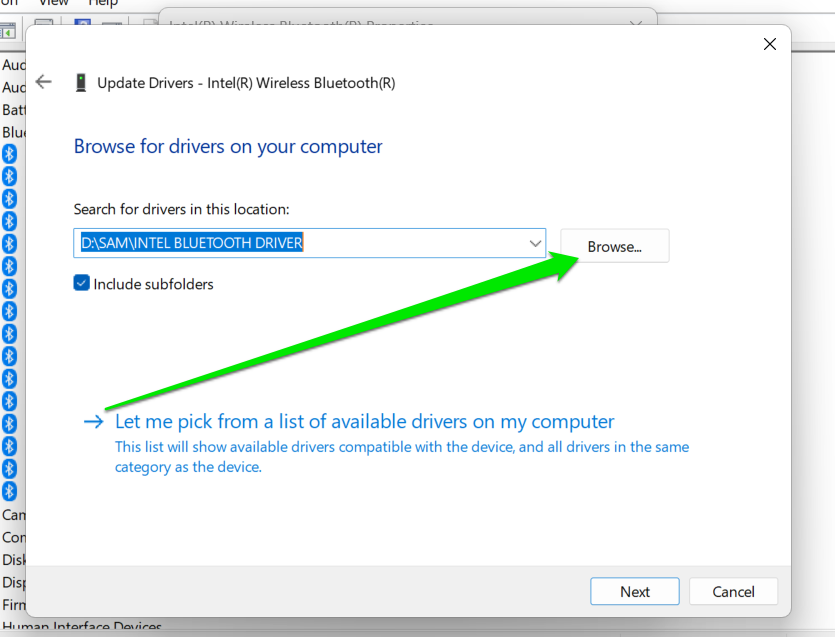
- Now, follow these steps to install the driver through Device Manager (as explained in Method 1). However, when you get to the How do you want to search for drivers? window, click Browse my computer for drivers .
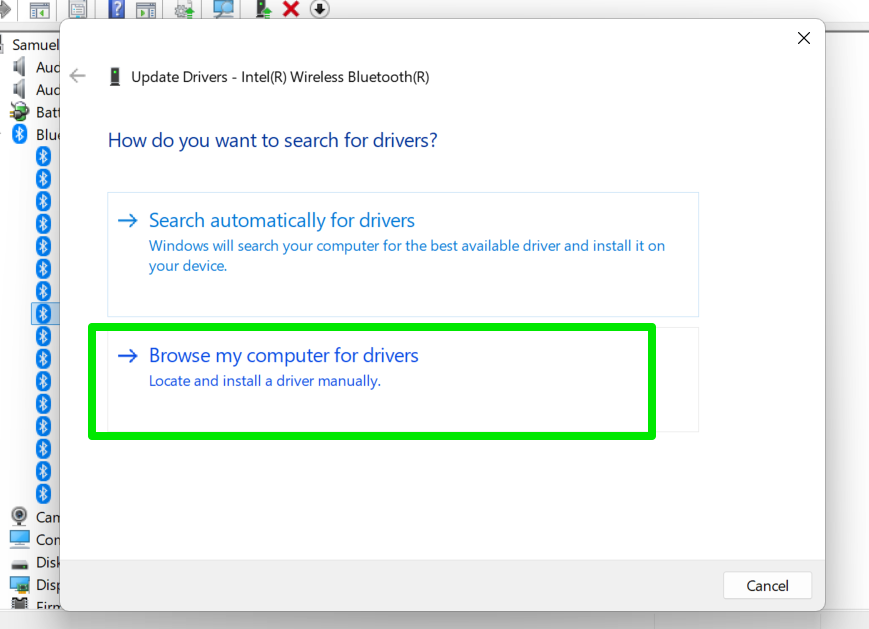
- Select the Browse button and choose the folder where you extracted the downloaded files. Then, click on Next to update the drivers.
Method 4: Use OEM software tools
⇢ When to use
- You want a convenient tool that automatically detects and updates drivers
- You need drivers from your OEM
- You don’t want to download and install drivers manually
- OEM tools can detect and update drivers automatically
- You will get drivers tested explicitly for your system’s model
- Reduces the risk of installing the wrong device
- OEM drivers are often out of date
- These tools do not download and detect every driver on your system
- Download and install the application if it isn’t already on your computer.
- Look for the Update tab or page.
- Scan for available updates.
- Select the Install option.
- Go to Dell SupportAssist page and click the Download SupportAssist button under SupportAssist for Home PCs.

- Open the downloaded file to install the program.
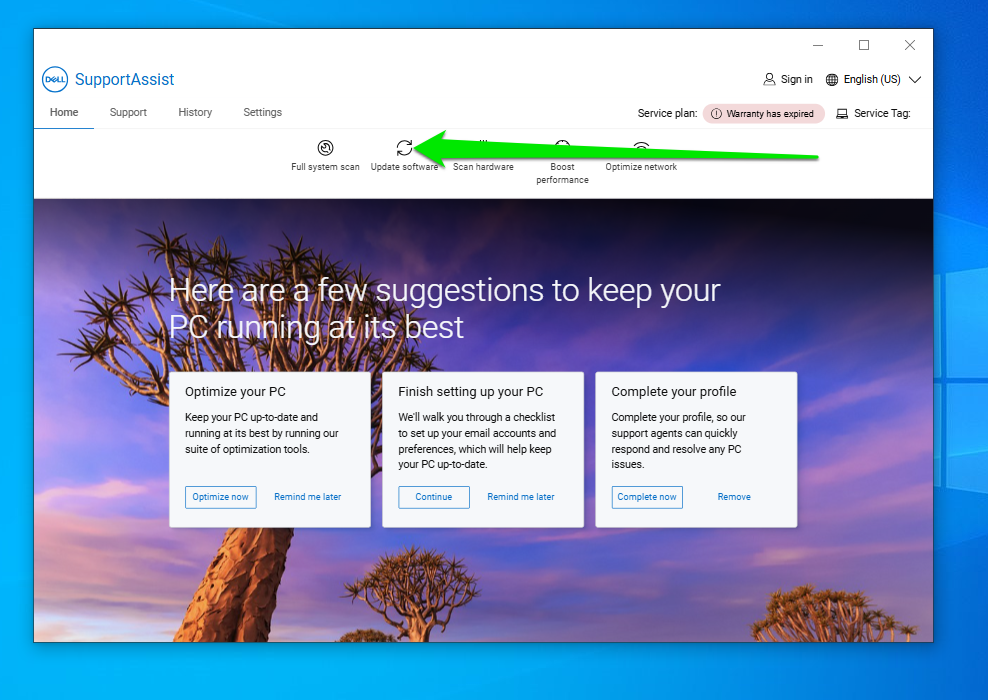
- Once the program is installed, open it and click Update software.
- On the Run scans and optimizations page, ensure the Check for updates box is selected, and then click the Start button on the right.
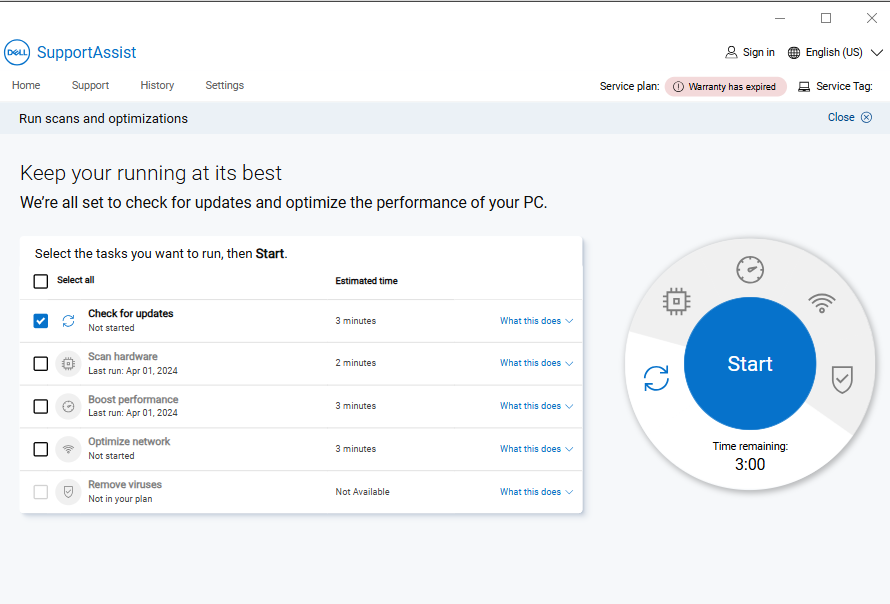
- The tool will notify you that it found software updates if your computer has outdated drivers.
- Click the View updates button.
- Check the boxes beside the drivers you want to update and click the Install button.
- The tool will download and install the drivers.
- It will reboot your computer to complete the process.
Method 5: Go through OEM websites
⇢ When to use
- You don’t want to use OEM tools
- Your system does not meet the requirements for the OEM tools
- The tool is not detecting your drivers
- Access to drivers tested for your system
- Some websites can automatically detect your computer
- There are risks of installing the wrong drivers, which can be catastrophic
- The installation process may be complex
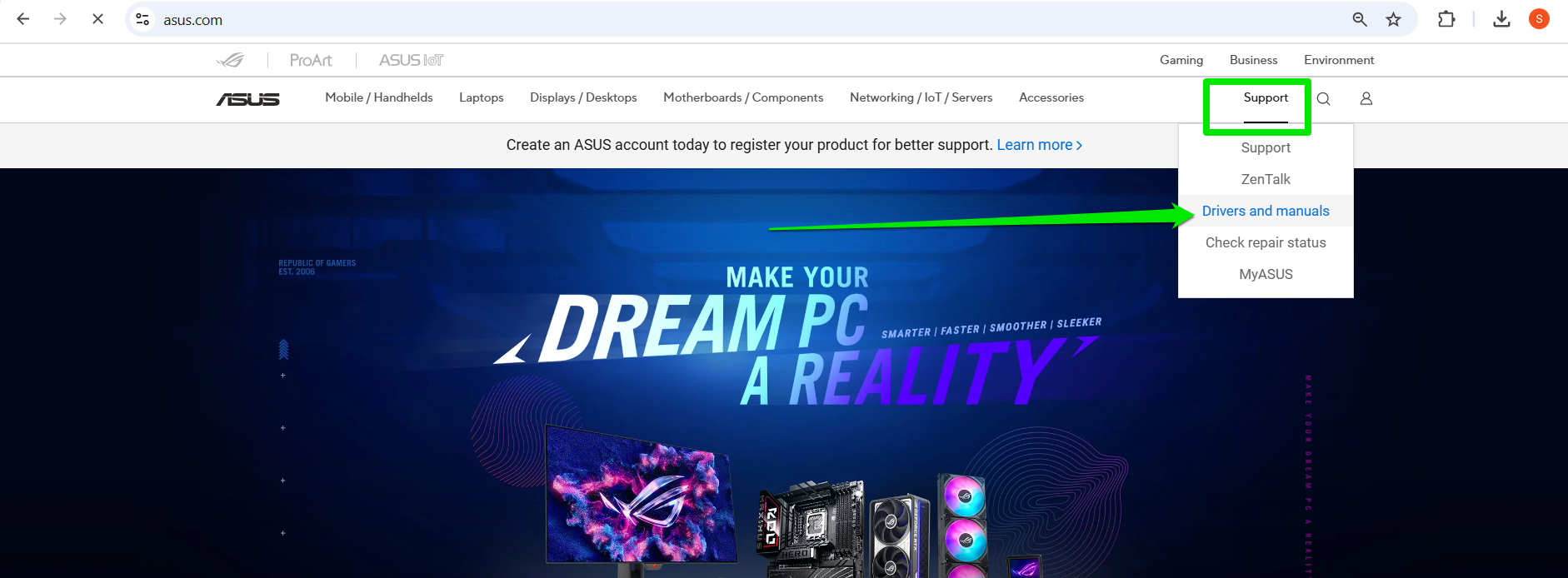
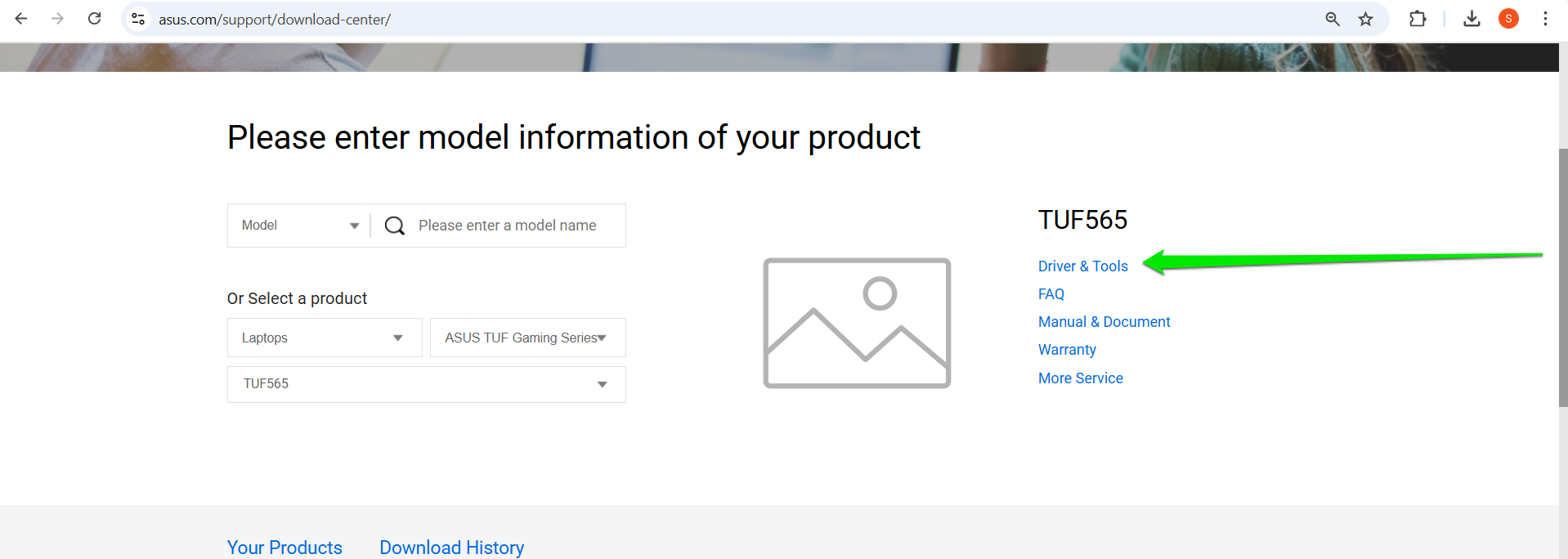
- Go to your OEM’s website and locate the Support page.
- You can select the Support menu and click the driver-related option.
- Allow the website to detect your device or enter your device ID. Sometimes, you can manually select your model from the listed options.
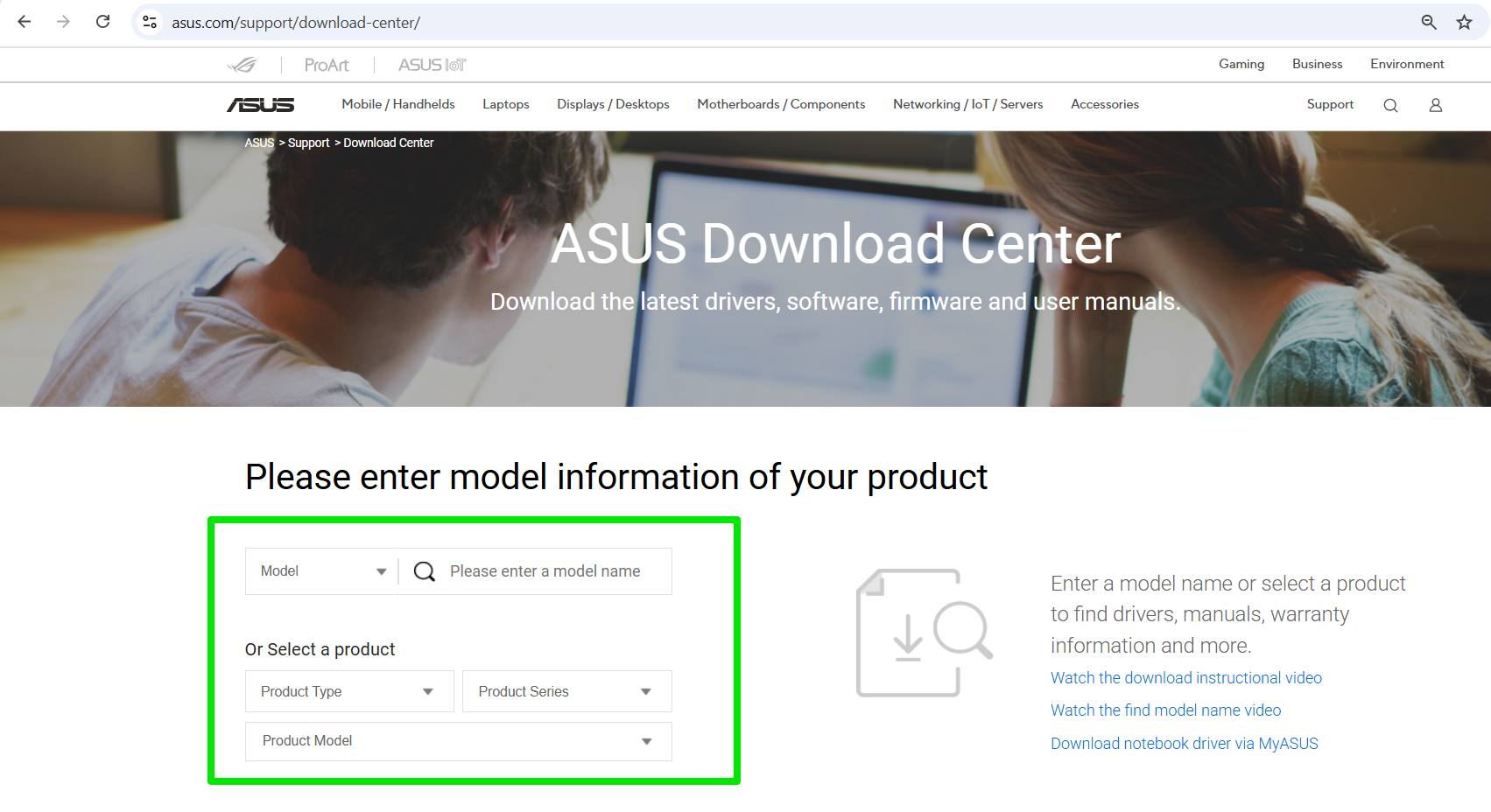
- Once your product is selected, choose the Download or Driver option and select the driver you want to download.
Method 6: Use options from specific device manufacturers
⇢ When to use
- Your OEM tools and websites do not have drivers for particular devices
- You want to get the latest drivers for specific devices directly from its manufacturers
- Access to the latest drivers from official sources
- Using manufacturers tools from companies like Logitech, NVIDIA, and Intel means you’ll get notifications to install the latest drivers
- These apps and websites provide limited drivers
- You need to install multiple different programs to download drivers for your system
- Drivers from some external devices require you to download software packages manually
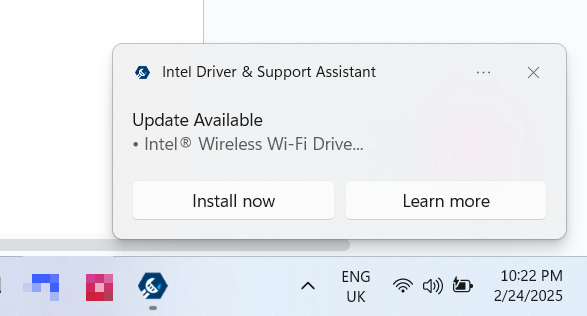
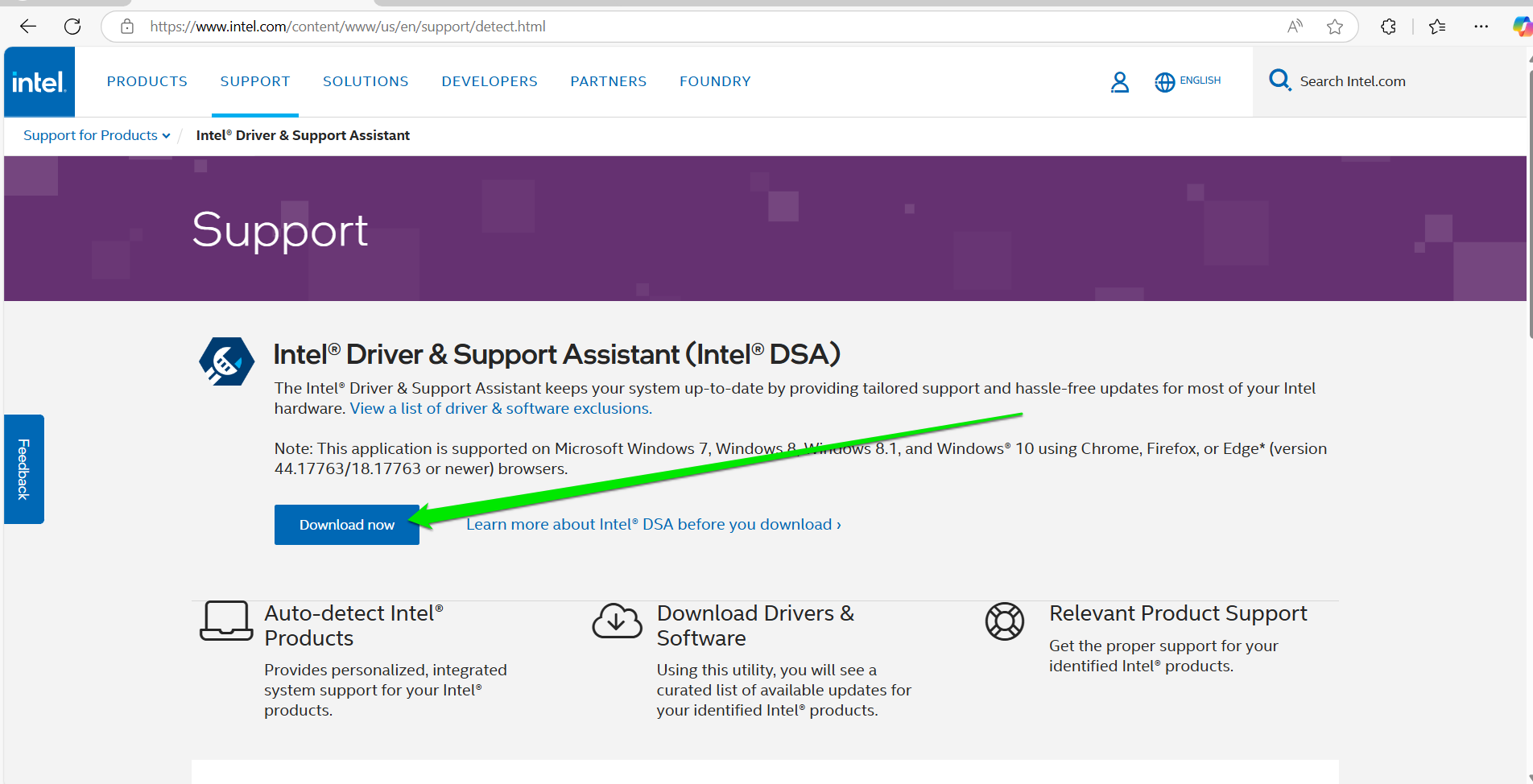
- Open the Intel Driver & Support Assistant webpage in your web browser.
- Select the Download now button and run the setup once the download is complete.
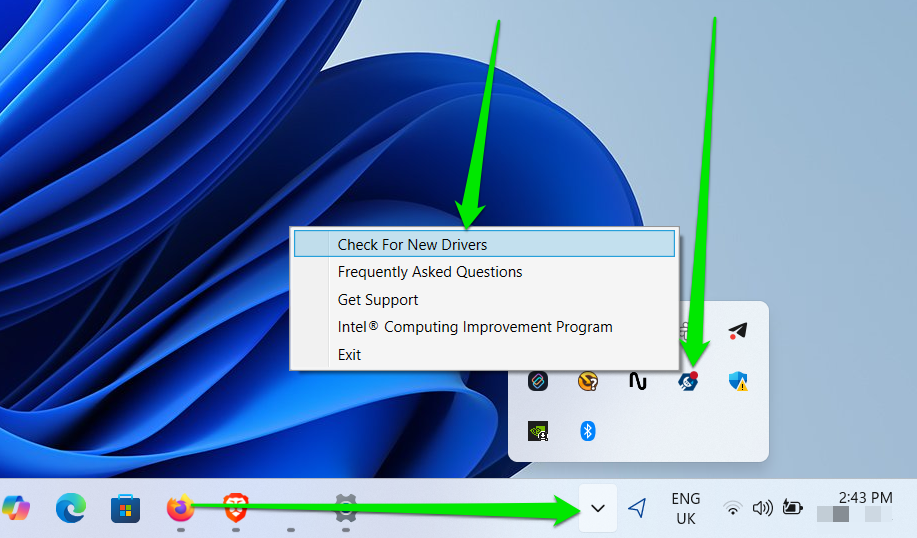
- After installing the program, go to your system tray (click the arrow beside your keyboard language selection).
- Click the Intel icon and select Check For New Drivers from the menu.
- The tool will launch in your web browser, scan your device for outdated drivers, and list available updates.
- Click the Download all button. Select Install all to install the drivers after the downloads are complete.
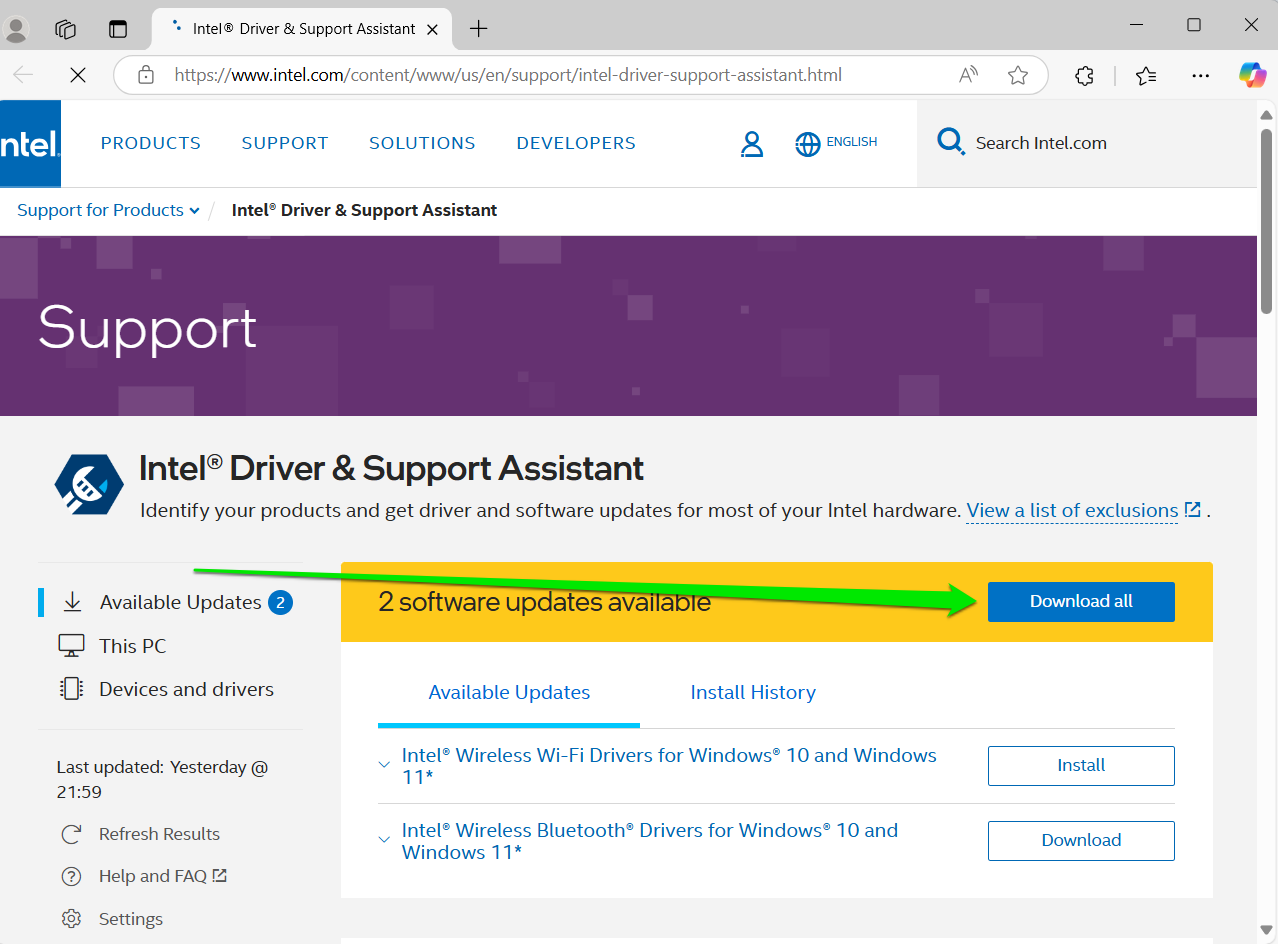
- You may need to restart your computer once the tool finalizes the installation.
Additionally, you can visit the websites of these manufacturers to download driver updates manually. Some manufacturers do not offer Windows programs. So, you may have to visit their website.
Method 7: Use third-party tools
⇢ When to use
- You need a tool that can update all your device drivers with minimal risk
- You don’t want to install multiple tools for driver updates
- You want notifications about new driver releases
- You want to properly manage your drivers, especially backups
- Automatic detection and updates
- Some tools offer simultaneous downloads and installations for multiple drivers
- Easy backup and restore access
- You may have to pay for better driver-updating services
- Download the program’s setup and install it.
- Once you open the tool after installation, it automatically scans your computer and displays a list of outdated drivers under the Diagnostics tab.
- You can click Details beside each driver to see information about the new version and your current driver.
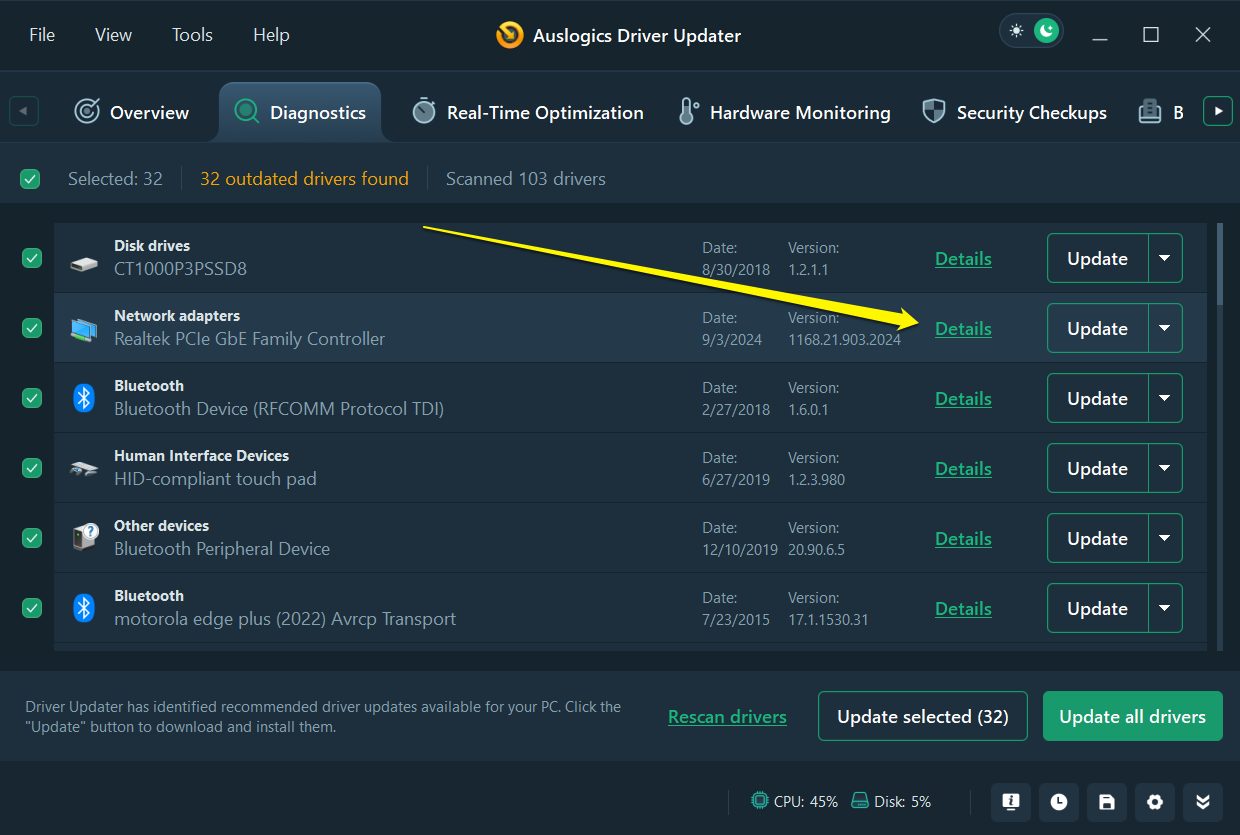
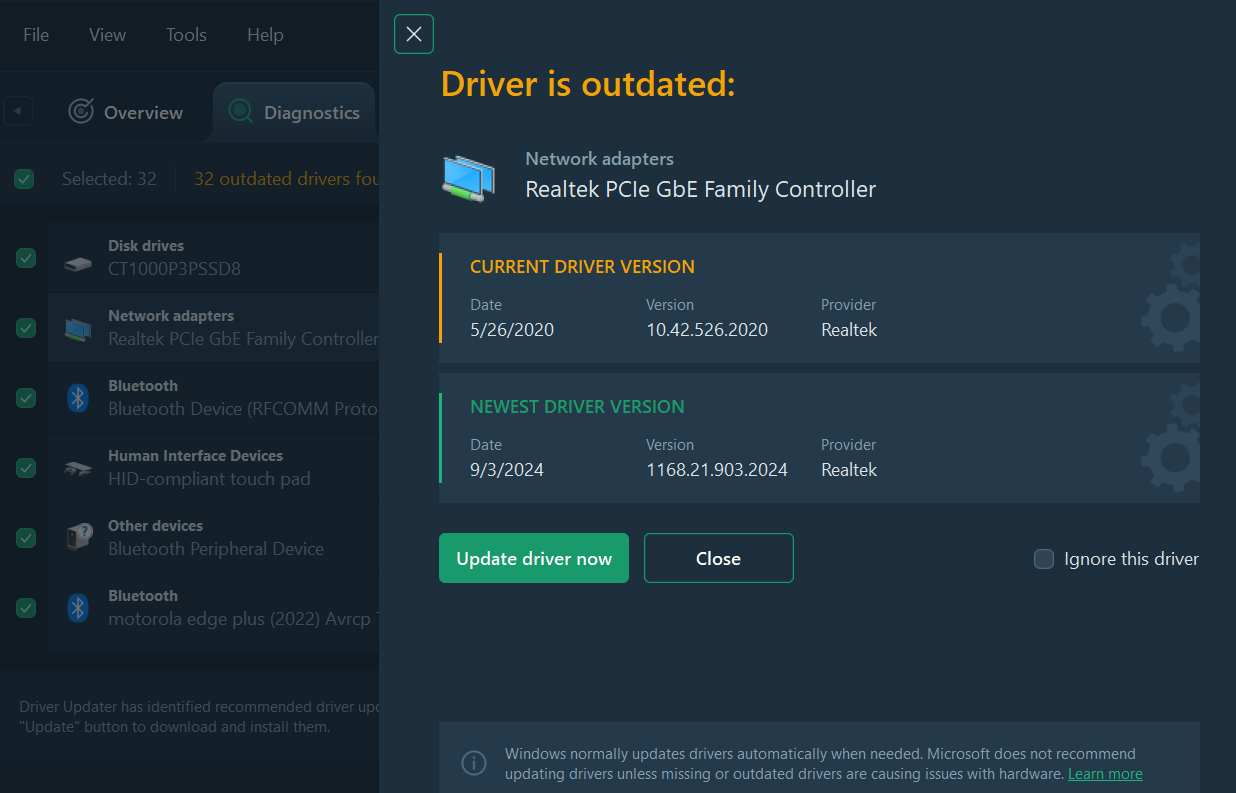
- Next, click the Update all drivers button or select the drivers you want to install and click Update selected .
- You can click File > Automatic Maintenance to set scheduled scans.
Common Windows Driver Update Issues
The following are common problems users encounter when updating drivers or shortly after installing updates. You can apply the suggested solutions if you face similar issues.
![IMG]() The “Your system has a driver that is locked to manufacturer specifications” error
The “Your system has a driver that is locked to manufacturer specifications” error

This error occurs when you try to install a DCH driver over a non-DCH (legacy) driver software package.
- Open Device Manager and expand the category for the affected device.
- Right-click the hardware component and select Uninstall device.
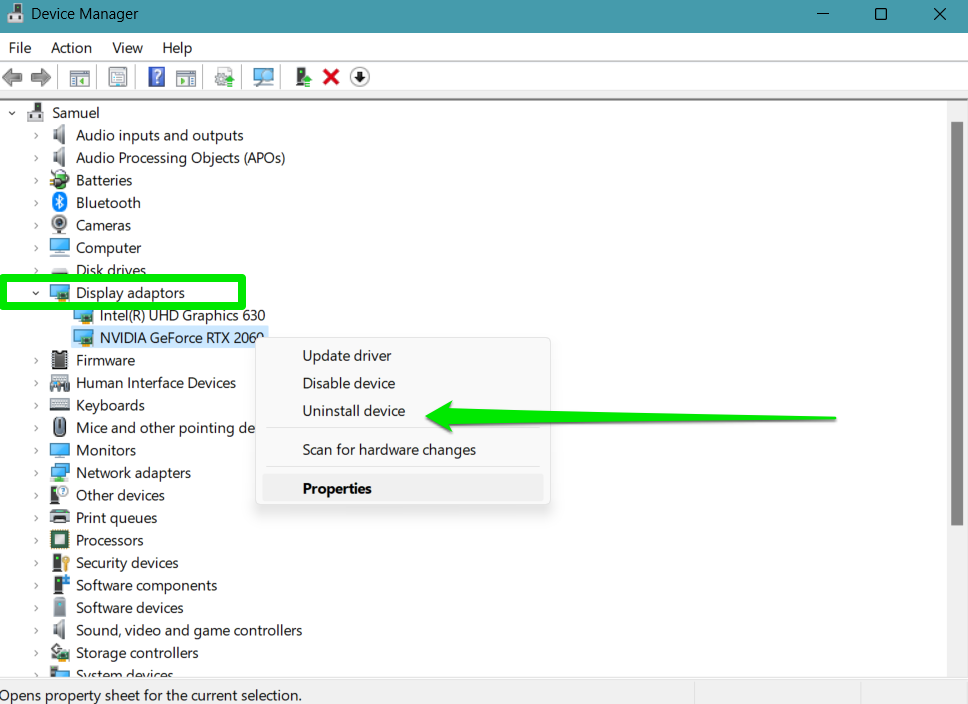
- Check the box for Attempt to remove the driver for the device before clicking the OK button.
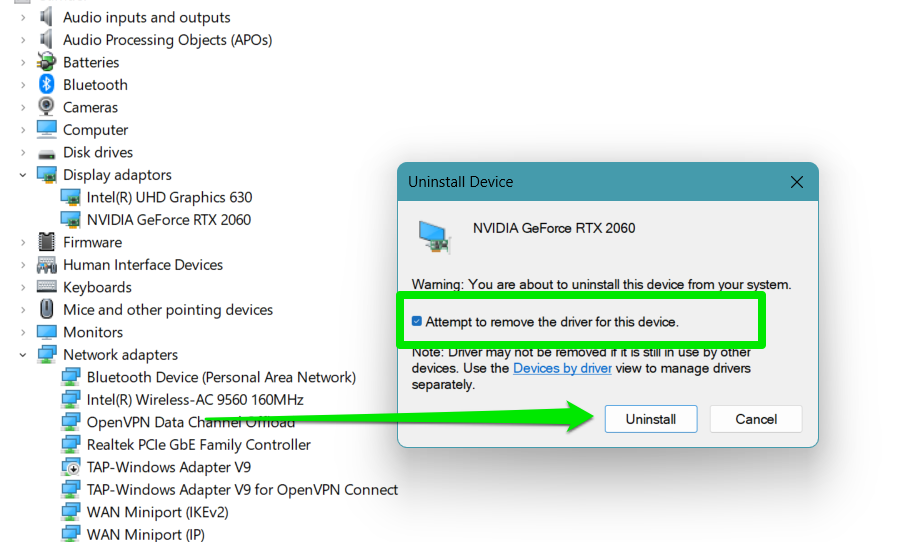
- You can now install the DCH driver update.
![IMG]() BSODs, system crashes, and black screens after the update
BSODs, system crashes, and black screens after the update

If you see a blue screen of death after installing a driver update, the installation could be corrupt, incompatible with your device or operating system, or conflicting with other drivers and apps. First, you have to uninstall the driver you just installed to reverse the problem. If the blue screen is preventing you from logging into Windows, you can access your system through Safe Mode. Follow our step-by-step guide on booting into Safe Mode and then uninstall the driver the same way I explained earlier. Check for compatibility issuesOnce you’ve removed the driver, double-check to confirm that the package you installed is compatible with your computer. For example, you may have installed a 64-bit driver while you use a 32-bit operating system. You may have also attempted to install a driver package designed for Windows 11 on Windows 10. If you downloaded the wrong setup, return to the website to fetch the correct driver and try the update again. Perform a clean bootPerforming a clean boot can help you resolve driver or software conflicts. If the BSOD is occurring because the driver is clashing with another app or driver package, finding the culprit can help you fix the problem.
![IMG]() Screen flickering, hardware detection issues, and random glitches after installing the update
Screen flickering, hardware detection issues, and random glitches after installing the update

When such problems occur, it usually means the update you installed is buggy. You can return to the previous driver version until the developer sorts out the problem in another update. Here’s how to roll back your driver:
- Open Device Manager and select the device category.
- Right-click the device and select Properties.
- Go to the Driver tab and click Roll Back Driver.

![IMG]() The “Windows encountered a problem installing the driver software for your device” error
The “Windows encountered a problem installing the driver software for your device” error

This error message normally shows up when you try to install an update through the Device Manager. It is usually caused by faulty driver packages (either the update or your existing driver). Fixes for this problem include the following:
- Downloading the driver update (.exe version) from the manufacturer’s website and installing it manually
- Uninstalling the current driver and installing the new version
- Performing a system restore before installing the update
Why Should I Keep My Drivers Updated?
As I’ve mentioned, drivers primarily make your hardware devices work with Windows. Keeping these software programs up to date means that communication will keep improving. However, there are other reasons to install the latest drivers for your devices:
- Security: In 2024, Intel released various software updates for its graphics cards to resolve security vulnerabilities in previous driver versions. These vulnerabilities could allow hackers to deploy DoS attacks to compromise user systems. There have been other such cases involving AMD, NVIDIA, and other manufacturers. Leaving your drivers outdated could expose you to such situations.
- Compatibility: My audio stopped working , the system’s graphics were out of whack, and I lost access to Bluetooth and Wi-Fi after upgrading to Windows 11 . That’s because those drivers were out of date and not compatible with Windows’ new version at the time. You can also experience similar problems after factory resetting your computer or performing a clean installation. In some cases, old drivers may become incompatible after you install certain Windows updates. This requires you to install the latest drivers for specific devices.
- Stability: Out-of-date drivers become unstable after a while, especially when they have to interact with other updated components, like new applications and registry entries. These drivers can cause various problems, from crashes to performance dips. They can also affect how Windows communicates with other devices.
- New features: AMD released AMD Software: Adrenalin Edition 25.3.2 to introduce support for Assassin’s Creed Shadows and The Last of Us Part II. Apart from gaming support, manufacturers often turn on new device functions that improve power efficiency and introduce new capabilities through updates. You won’t enjoy these new features if you stick with old drivers.
How to Update Drivers on Windows 10 and 11 Drivers: Explained
I recommend using third-party driver updaters or tools that can push notifications whenever new driver versions are available. These are the best options if you can’t keep up with updates. However, here’s an overview of different drivers, the best update options, and how often you check for driver updates and install them.
| Driver | Recommended update methods | Frequency | Notes |
|---|---|---|---|
| Graphics drivers |
|
|
|
| Audio drivers (speakers and microphones) |
|
|
|
| Network adapter drivers |
|
|
|
| Motherboard/chipset drivers |
|
|
|
| Drivers for peripherals and other external devices |
|
|
|
Let us know the method you prefer and whether you encountered any problems updating your driver.


